
Not every keyboard upgrade needs a taller case, stronger lighting or a more aggressive gaming specification. The CUTIEQ NEO84 Low-Profile Wireless Mechanical Keyboard focuses on a lower-profile typing experience, a compact 84-key arrangement and a built-in palm-support area. Its strongest selling point is the way those physical details work together in a clean, understated desktop design.
This review is based on the product-page information and images. The NEO84 should be evaluated as a specific low-profile system rather than a standard-height board made thinner. Switch compatibility, keycap shape and hand position are central to choosing it well, especially if you are moving from a laptop keyboard or a tall mechanical model.
84 keys without a bulky full-size footprint
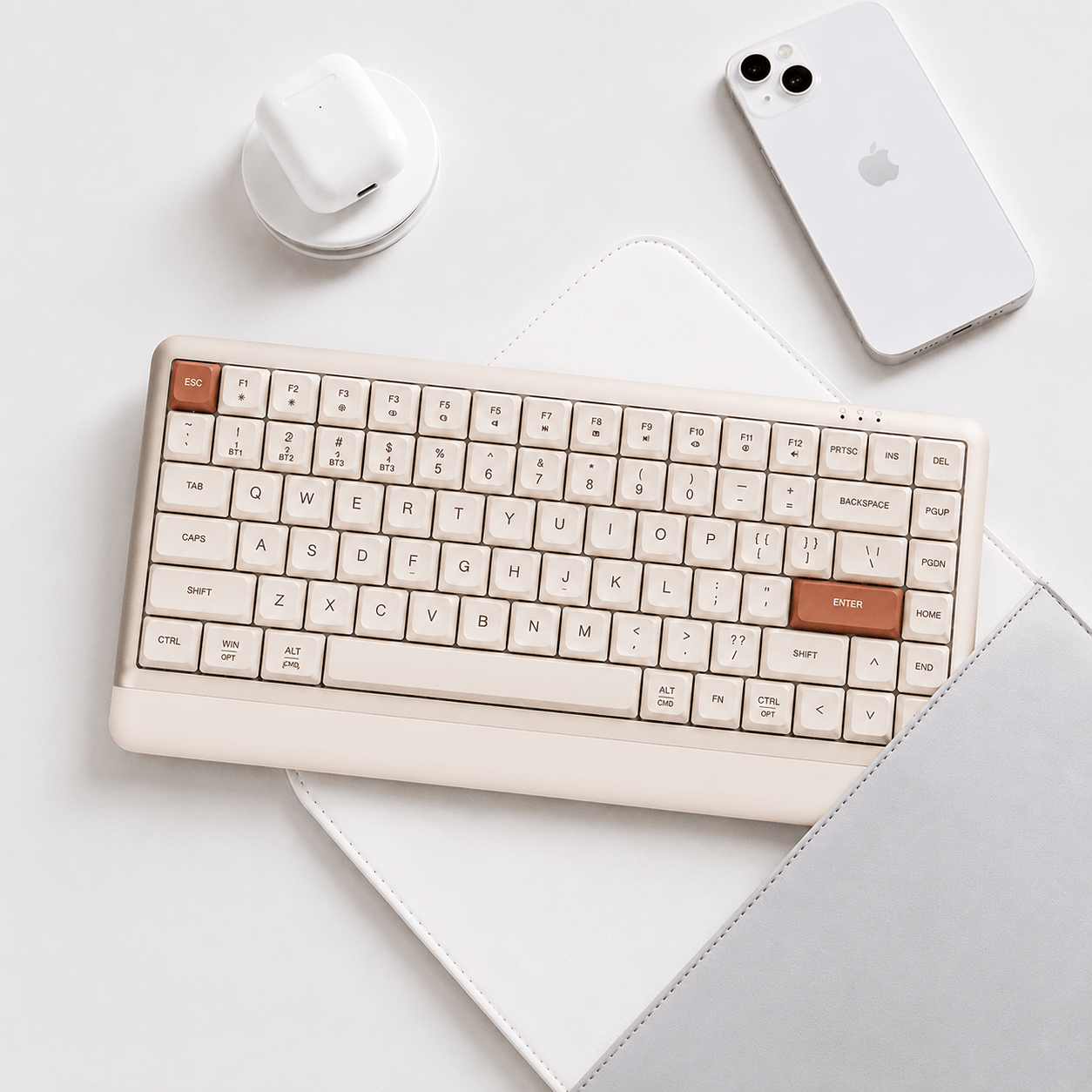
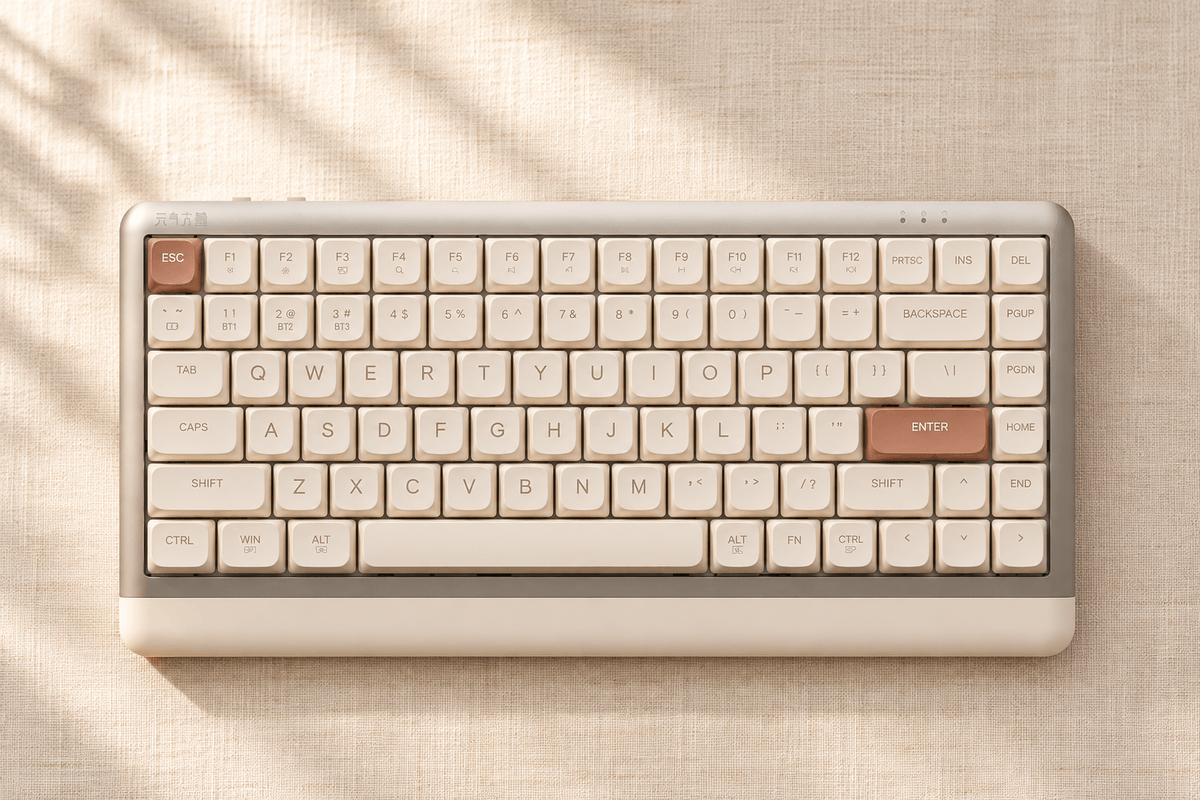
The 75 percent-style layout keeps a function row and arrow keys while leaving out the number pad. It provides more dedicated shortcuts than a very small gaming layout, with less width than a traditional full-size board. Canvas White and Millennium Pink finishes reinforce its more restrained, everyday desktop appeal.
Among GamePeripherals low profile keyboards choices, the NEO84 is particularly relevant to someone who wants a shorter key feel and a tidy workspace. Check the navigation-key arrangement and available shortcuts before buying. If numeric entry is part of your daily workload, consider whether the lack of a built-in number pad will matter more than the compact footprint helps.

Shorter travel and a lighter listed actuation force
The page describes custom low-profile Cloud Mist switches with a listed 37g actuation force. That is a useful specification for someone who prefers a lighter press, but it does not tell the whole story of perceived feel. Spring behavior, keycap geometry and bottoming-out technique also influence the experience.
For shoppers considering a low profile wireless keyboard for typing, the NEO84 offers a different proposition from a standard-height gaming board. Allow time to adapt when switching between those formats. A lighter press may suit gentle typing, while a person accustomed to firm keystrokes may need to reduce force. Comfort is individual, so the specification should guide your shortlist rather than promise a particular result.
Built-in palm support is the defining physical detail
The NEO84 includes an approximately 22mm-wide support area at the front of the keyboard. That creates a continuous lower edge rather than requiring a separate accessory for every setup. It is best understood as a built-in palm-support lip, not a full-depth wrist rest or a medical solution for discomfort.
Think about your desk height, chair position and the angle of your hands. Keep wrists relaxed and avoid assuming the support should hold your weight while actively typing. The benefit is a more integrated design that may fit a lower-profile routine, while the right posture still depends on the rest of your workspace.

Gasket construction within a low-profile system
The page lists gasket mounting and a hot-swappable design. Those features provide a construction and maintenance story beneath the clean exterior, but the low-profile switch system needs compatible replacements. Standard-height mechanical switches should not be assumed to fit simply because both products use the phrase hot-swap.
Within GamePeripherals compact wireless keyboards choices, the NEO84 is appealing when you want a compact desk tool without a tall, highly decorative case. Try the stock Cloud Mist switches before considering changes, and verify low-profile compatibility carefully. A different switch or keycap must fit the actual mechanical interface, not just resemble the original part in a photo.
| Feature | What to expect | Buying consideration |
|---|---|---|
| Layout | 84 keys; compact function-row format | No built-in number pad |
| Switches | Cloud Mist low-profile; listed 37g actuation | Feel also depends on travel and technique |
| Front support | Approximately 22mm built-in palm-support area | Not a full-depth wrist rest |
| Hot-swap | Low-profile system | Verify compatible replacement switches |
Tri-mode operation for everyday device use
Wired USB, 2.4GHz and Bluetooth give the NEO84 flexibility across a shared desk. The product page describes mode and system switching for Windows and Mac, which is useful when a laptop and desktop both need the same keyboard. Test familiar shortcuts after changing systems so the modifier layout behaves as expected.
A listed 4000mAh battery supports wireless operation, and the page gives an approximately 780g keyboard weight. That is useful context for occasional desk changes, though it is not a promise of a specific travel experience or fixed runtime. Connection mode, lighting and sleep settings still affect how frequently you need to charge.

A calmer lighting and configuration package
The page lists six lighting effects and four brightness levels, together with remapping support. That gives you customization without requiring an elaborate visual setup. A modest brightness setting can keep the desk calm during work while still making the keyboard feel personal when you use it after hours.
If your search includes a compact wireless keyboard with palm support, the NEO84 deserves attention because the support is integrated into the product's design. Check the current configuration tool and confirm the functions you need on your operating system. Useful remapping and reliable switching are more meaningful for this board's everyday role than chasing performance features that the listing does not claim.
The buying verdict
The NEO84 suits a buyer who wants a low-profile mechanical format, lighter listed actuation and a clean compact layout with integrated front support. Its distinctive physical design makes it a strong shortlist option for ordinary typing and a mixed-device desk. It is less appropriate if you need a number pad or want unrestricted compatibility with standard-height switches and keycaps.
Before ordering, review the key arrangement, the chosen color and the low-profile replacement ecosystem. After setup, spend time adjusting to the shorter travel before deciding whether any modification is necessary. The NEO84 is most convincing when its physical shape and typing format fit your habits, rather than when it is judged as a smaller version of a conventional gaming board.
FAQ
Does the NEO84 have a number pad?
No. It uses a compact 84-key layout.
Can I install normal full-height switches?
Do not assume compatibility. Use replacements verified for its low-profile system.
Is the front support a full wrist rest?
No. It is an approximately 22mm built-in palm-support area.


댓글 남기기
이 사이트는 hCaptcha에 의해 보호되며, hCaptcha의 개인 정보 보호 정책 과 서비스 약관 이 적용됩니다.