

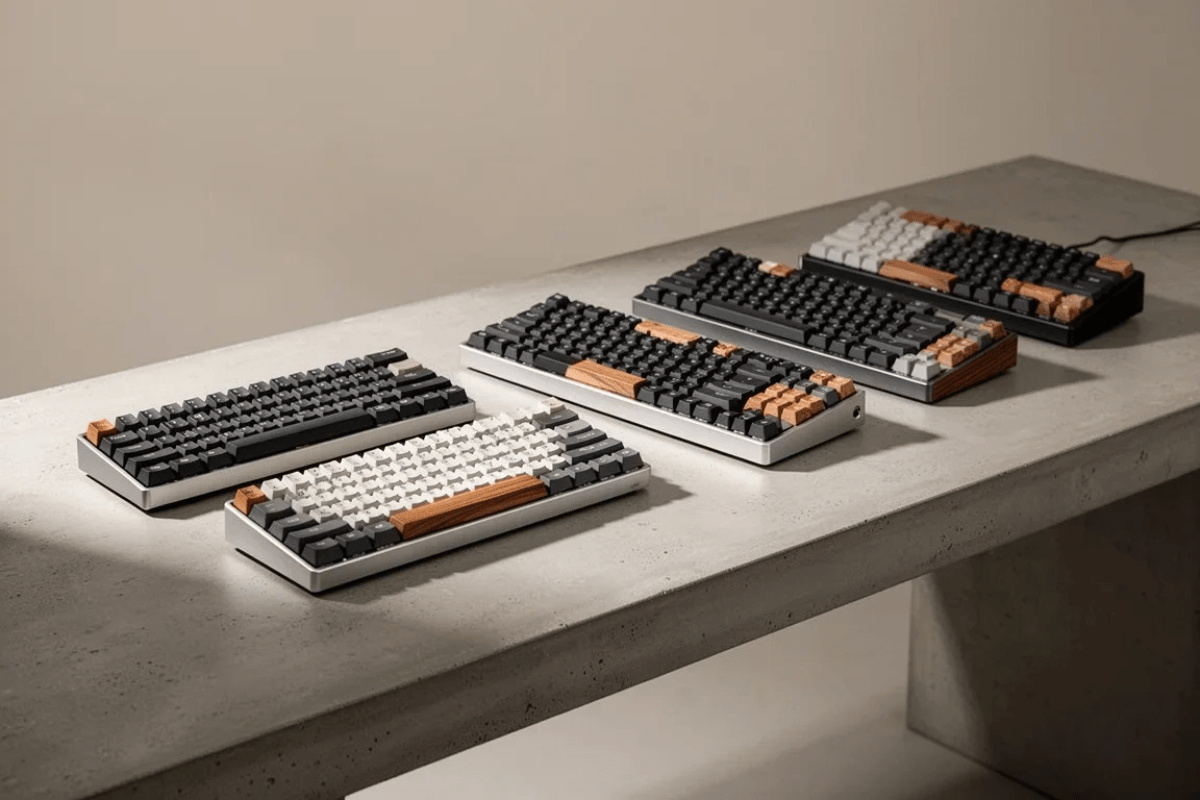
Eine gute mechanische Tastatur muss nicht mehr die Hälfte Ihres Schreibtisches einnehmen oder deutlich über 100 $ kosten. Für Gamer, Studierende und alltägliche PC-Nutzer ist das 75%-Layout zu einem besonders attraktiven Mittelweg geworden: kompakt genug, um Platz auf dem Schreibtisch zu sparen, während die Funktionsreihe, die Pfeiltasten und die am häufigsten genutzten Navigationstasten erhalten bleiben.
Die Kategorie unter 100 $ bietet inzwischen reichlich Auswahl, doch allein die technischen Daten verraten Ihnen nicht, welche Tastatur sich tatsächlich gut anfühlt. Schalter, Konnektivität, Keycaps, Montagestruktur, Software und die allgemeine Verarbeitungsqualität verdienen vor dem Kauf Ihre Aufmerksamkeit.
Was ist eine mechanische 75%-Tastatur?
Eine 75%-Tastatur übernimmt die wesentlichen Tasten eines Tenkeyless-Designs und ordnet sie auf einer kompakteren Grundfläche an. In der Regel behält man die alphanumerischen Tasten, die Funktionsreihe, die Pfeiltasten und eine Auswahl an Navigationstasten bei, während der separate Ziffernblock entfällt und ungenutzter Raum zwischen den Bereichen reduziert wird.
Dieses Layout ist besonders für Gaming nützlich, da es mehr Platz für Mausbewegungen schafft, ohne so viele Tasten zu opfern wie ein 60%- oder 65%-Board. Es kann zudem einfacher sein, sich daran zu gewöhnen, wenn Sie Funktionstasten regelmäßig für die Arbeit, Shortcuts oder Spiele nutzen.
Beim Vergleich von GamePeripherals mechanischen Tastaturen ist die 75%-Kategorie ein guter Ausgangspunkt, wenn Sie kompakte Abmessungen wünschen, ohne einen drastischen Wechsel vom herkömmlichen Tastaturlayout vorzunehmen.
Welchen Schaltertyp sollten Sie wählen?
Mechanische Schalter haben großen Einfluss darauf, wie sich eine Tastatur anfühlt. Lineare Schalter bieten einen gleichmäßigen Hub ohne bewusst spürbaren Druckpunkt, weshalb sie bei Gamern beliebt sind, die leichte, wiederholte Eingaben mögen.
Taktile Schalter geben beim Tastendruck deutliches Feedback, was manche Nutzer für eine Kombination aus Gaming und Tippen bevorzugen. Klickende Schalter fügen bewusst hörbares Feedback hinzu und können sich beim Tippen angenehm anfühlen, sind jedoch für gemeinsam genutzte Räume möglicherweise weniger geeignet.

Wenn Sie unsicher sind, kann eine hot-swap-fähige Tastatur besonders nützlich sein. Kompatible Switches lassen sich ohne Löten austauschen, sodass Sie später experimentieren können, statt sich dauerhaft auf die werkseitig installierte Variante festzulegen.
Kabelgebunden oder kabellos?
Kabelgebundene Tastaturen bleiben eine unkomplizierte Option für Desktop-Gaming. Es gibt keinen Akku zu verwalten, und Sie können die Tastatur dauerhaft angeschlossen lassen.
Kabellose Modelle sorgen für einen aufgeräumteren Schreibtisch und mehr Flexibilität. Je nach Tastatur können die Verbindungsoptionen neben dem kabelgebundenen USB-Modus auch 2,4-GHz-Funk und Bluetooth umfassen. Für Gaming sollten Sie prüfen, welchen kabellosen Modus der Hersteller für eine geringere Latenz vorsieht, statt anzunehmen, dass alle kabellosen Verbindungen gleich funktionieren.

Wenn Sie im GamePeripherals Online-Shop stöbern, überlegen Sie, wie Sie die Tastatur tatsächlich nutzen möchten. Wer zwischen Gaming-PC, Laptop und Tablet wechselt, legt vielleicht mehr Wert auf mehrere Verbindungsmodi als jemand, dessen Tastatur nie einen Schreibtisch verlässt.
Keycaps und Stabilisatoren nicht ignorieren
Keycaps sind der Teil der Tastatur, den Ihre Finger tatsächlich berühren, daher können Material, Haptik, Profil und Beschriftung einen spürbaren Einfluss auf die tägliche Nutzung haben. PBT-Keycaps werden oft für ihr strukturiertes Gefühl und ihre Beständigkeit gegen Glanzbildung geschätzt, während hochwertige ABS-Sets weiterhin eine absolut legitime Option bleiben.
Stabilisatoren stützen größere Tasten wie Leertaste, Enter und Shift. Schlecht umgesetzte Stabilisatoren können dazu führen, dass sich diese Tasten uneinheitlich anfühlen oder klingen, selbst wenn die Switches selbst gut sind.

Bei der Bewertung von GamePeripherals Gaming-Tastaturen kann es nützlicher sein, auf diese weniger glamourösen Details zu achten, als sich ausschließlich auf RGB-Effekte oder ungewöhnlich hohe Spezifikationswerte zu konzentrieren.
Ist eine 75%-Tastatur gut zum Gaming geeignet?
Für viele Spieler ja. Die kleinere Grundfläche schafft zusätzlichen Platz für Mausbewegungen, was besonders in FPS-Spielen bei niedrigen Empfindlichkeiten nützlich sein kann.
Gleichzeitig kann der Erhalt der Funktionsreihe für Spiele mit zusätzlichen Tastenkürzeln praktisch sein. Dedizierte Pfeiltasten machen eine 75%-Tastatur zudem für viele Nutzer im Alltag komfortabler als extrem kompakte Layouts.

Es gibt jedoch keinen Leistungsvorteil allein dadurch, dass eine Tastatur 75% groß ist. Das Layout wirkt sich in erster Linie auf Ergonomie, Schreibtischplatz und den Zugriff auf Tasten aus, nicht darauf, dass Eingaben von Natur aus schneller werden.
Wie man die beste 75%-Tastatur für unter 100 $ auswählt
Überlegen Sie zunächst, was in Ihrem Setup am wichtigsten ist. Beim Vergleich von GamePeripherals Gaming-Ausrüstung legen einige Gamer mehr Wert auf unverwechselbares Design und Akkulaufzeit, während andere wettbewerbsorientierte Leistung oder ein schlankeres Tippgefühl priorisieren. Diese drei Tastaturen verfolgen deutlich unterschiedliche Ansätze, sodass sie für verschiedene Nutzertypen eine Überlegung wert sind.
PMO P75 Kabellose mechanische Tastatur
Die PMO P75 kabellose mechanische Tastatur fällt sofort durch ihr von Gundam und EVA inspiriertes Anime-Design auf und ist eine attraktive Wahl, wenn Sie möchten, dass Ihre Tastatur Teil der visuellen Identität Ihres Gaming-Setups wird. Neben ihrem farbenfrohen Design bietet die lange Akkulaufzeit praktischen Nutzen für die kabellose Nutzung, besonders wenn Sie lieber mehr Zeit mit Spielen verbringen möchten und weniger Zeit mit dem Nachdenken über das Aufladen. Sie ist eine gute Wahl für Anime-Fans, die eine 75%-Tastatur suchen, die Persönlichkeit mit Alltagstauglichkeit verbindet.
XINMENG S75PRO kabellose mechanische Tastatur
Die XINMENG S75PRO kabellose mechanische Tastatur verfolgt einen stärker leistungsorientierten Ansatz und behält dabei eine warmtonige Ästhetik bei, die ihr ein unverwechselbares Aussehen verleiht, ohne übermäßig aggressiv zu wirken. Eine ihrer größten Attraktionen ist die Unterstützung von 8K-Performance sowohl im kabelgebundenen als auch im kabellosen Modus, was sie besonders interessant für kompetitive Gamer macht, die eine Hochleistungseingabe wünschen, ohne an ein Kabel gebunden zu sein. Sie ist die stärkste Wahl der drei, wenn Gaming-Leistung Ihre Hauptpriorität ist.
CUTIEQ NEO84 Kabellose mechanische Low-Profile-Tastatur
Für etwas Weicheres und Verspielteres kombiniert die CUTIEQ NEO84 Low-Profile kabellose mechanische Tastatur eine deutlich feminine Ästhetik mit einer niedrigeren Keycap-Höhe. Das Low-Profile-Design erzeugt ein schlankeres Gesamtgefühl, das Nutzer ansprechen könnte, die ihre Finger näher am Schreibtisch haben möchten, während das niedliche Styling es leicht macht, ein individuelleres Setup um die Tastatur herum aufzubauen. Sie ist besonders dann eine Überlegung wert, wenn herkömmliche Gaming-Tastaturen zu klobig oder visuell zu ernst erscheinen.
Häufig gestellte Fragen
Ist eine 75%-Tastatur besser als eine TKL?
Keines von beiden ist generell besser. Eine 75%-Tastatur ist kompakter, während TKL in der Regel konventionellere Tastenabstände und zusätzliche Navigationstasten bietet.
Kann man eine gute mechanische Tastatur für unter 100 $ bekommen?
Ja. Die Kategorie umfasst Tastaturen mit Funktionen wie Hot-Swap-Unterstützung, kabelloser Konnektivität, RGB und verschiedenen Montagedesigns, wobei die Verfügbarkeit je nach Modell variiert.
Sind 75%-Tastaturen gut für die Arbeit?
Ja. Das Beibehalten der Funktionstastenreihe und der Pfeiltasten macht das Layout für viele Produktivitätsaufgaben praktisch und reduziert gleichzeitig die Gesamtbreite der Tastatur.


Einen Kommentar hinterlassen
Diese Website ist durch hCaptcha geschützt und es gelten die allgemeinen Geschäftsbedingungen und Datenschutzbestimmungen von hCaptcha.