
A gaming mouse can have useful features without being built around the highest possible polling rate. The AULA SC650 Wireless Gaming Mouse with Display Screen takes a different approach: it puts battery level, DPI, connection mode and polling information directly on the mouse. That small status screen is the feature that makes it easier to recognize and easier to understand at a glance.
Alongside the display, the SC650 offers a PAW3311 sensor, up to 12,000 DPI, tri-mode connectivity and a listed weight of about 58g. Its combination of visible information and colorful styling is especially relevant for a shared gaming and work setup. Here is what those features offer, and what to check before choosing it.
A screen with a practical purpose
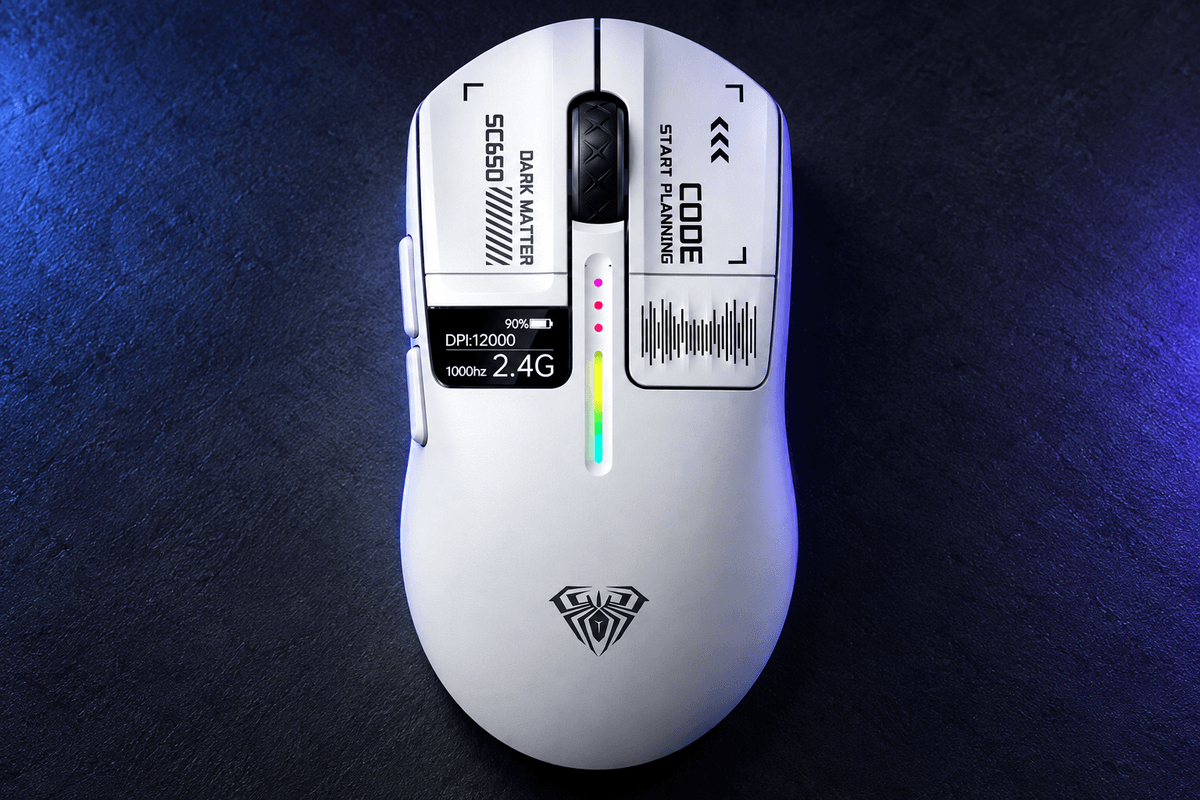
The screen is designed to show battery level, DPI, connection mode and polling rate. Those are useful status details when you switch between tasks or devices. Instead of guessing which sensitivity preset is active or opening software just to inspect a setting, you can use the on-mouse display as a quick reference.
Among GamePeripherals display gaming mice, the SC650 is distinctive because the screen is integrated into the top of the shell, beside the main button area. It is not a receiver-mounted accessory. Keep realistic expectations about such a small display: its value is concise information, rather than a large interface for reading or controlling complex settings. The placement also becomes part of the mouse's visual identity.

Light enough for a versatile desk setup
The store lists approximately 58g for the mouse itself, including the display. Dimensions are 118 × 61.8 × 37.8mm, giving it a compact footprint that is worth comparing with your current mouse. The display does not require moving to a particularly large body, although grip comfort will still depend on your hand and contact positions.
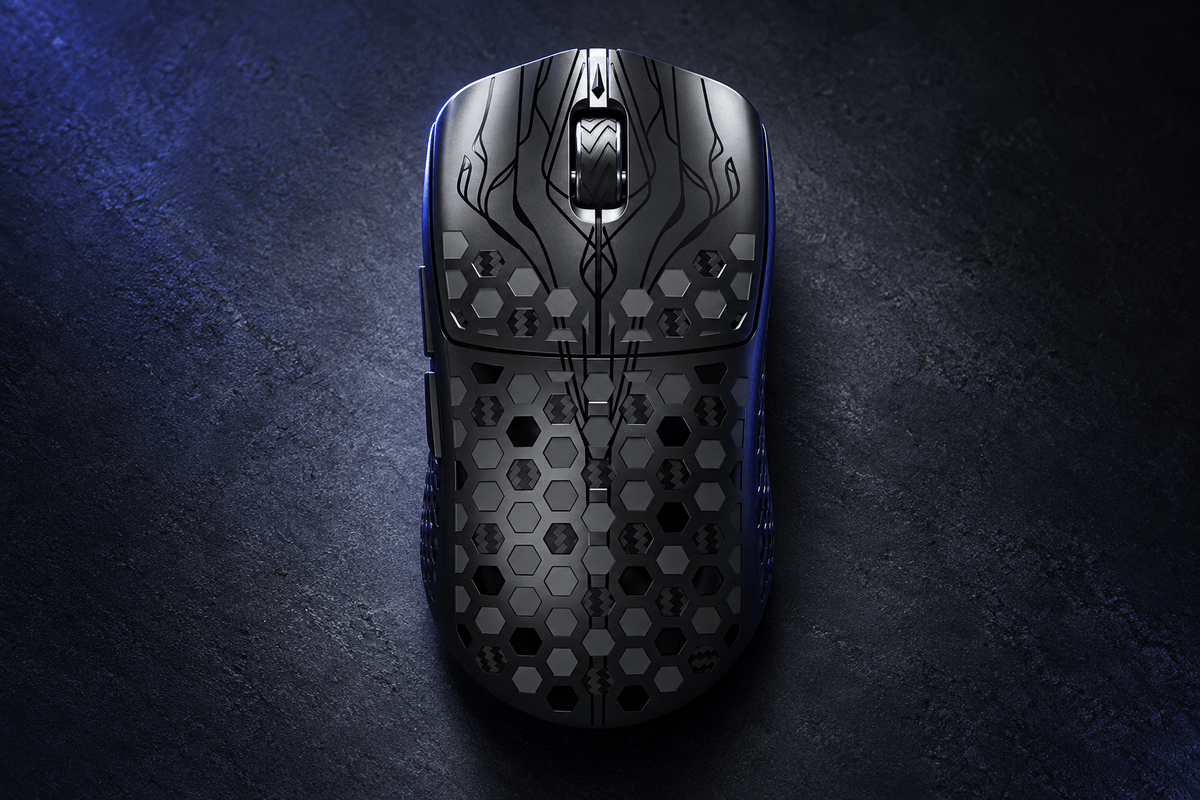
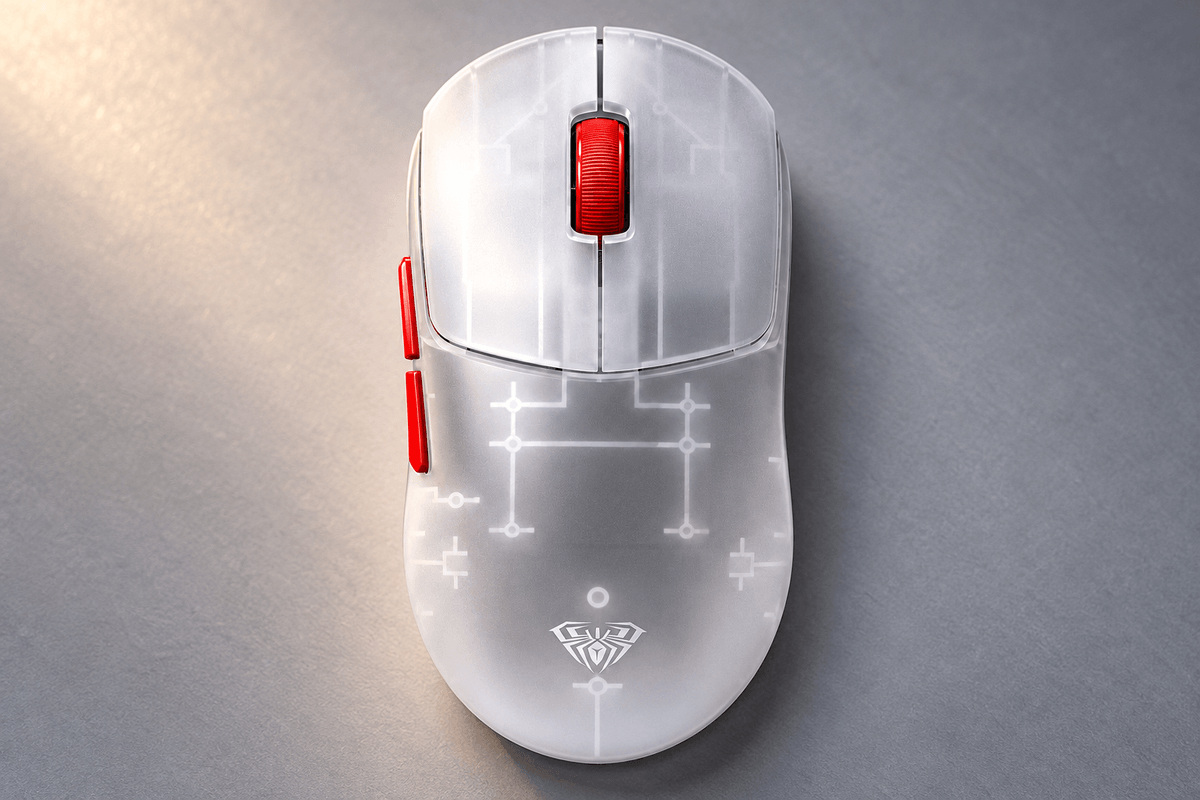
The product images show broad main buttons and a curved rear with an AULA emblem. If you spend the day working and then play in the evening, familiar support and accessible controls can matter more than shaving a few additional grams. Check where your fingers naturally land and whether the top-screen placement leaves your preferred button contact areas comfortable.
Sensitivity controls without chasing maximum DPI
The PAW3311 sensor is listed with six sensitivity presets: 800, 1,600, 2,400, 3,200, 6,400 and 12,000 DPI. These give you a range of pointer speeds, but the highest setting is not automatically the most accurate for your use. Pick a sensitivity that suits your screen arrangement and in-game settings.
For shoppers seeking a wireless gaming mouse with battery display, the screen is particularly useful when checking which preset is active. Use that visibility to keep settings consistent, especially if accidental DPI changes have frustrated you before. The sensor and preset range make this a practical everyday gaming specification; they should not be presented as the same hardware package found in AULA's higher-end 8K models.

Three connection modes for different devices
The SC650 supports USB-C wired use, 2.4GHz wireless and Bluetooth 5.1. That flexibility is valuable when your gaming computer, laptop and other compatible device do not all use the same connection method. Use the receiver or wired connection for gaming, and consider Bluetooth for a compatible work or portable device.
The status display helps you confirm the active mode, but connection convenience is still separate from measured latency. The store's main specification does not label the SC650 as an 8K model, so avoid buying it under that assumption. The following table focuses on the practical role of each connection, rather than assigning unsupported performance figures to every mode.
| Connection | How it connects | Good reason to use it |
|---|---|---|
| USB-C wired | Cable to the computer | Keep a direct connection at the desk |
| 2.4GHz wireless | USB receiver | Gaming without cable drag |
| Bluetooth 5.1 | Compatible paired device | Work or portable devices without a receiver |
RGB and artwork make the design visible
The photos show printed button graphics, a colored light strip and the rear AULA emblem. White, black and pink finishes offer different ways to coordinate the mouse with your desk. RGB lighting contributes to that visual character, and the page describes it as customizable. Its real appeal is a recognizable design that also communicates basic status.
When browsing the GamePeripherals tri mode mouse collection, choose the SC650 if the combination of a screen and decorative lighting fits your priorities. A display should help you read your settings, while RGB should suit the setup you enjoy using. Neither feature replaces a comfortable shape. If you prefer a visually minimal mouse, inspect the printed details closely before choosing a finish.

Battery clicks and daily usability
A 500mAh battery is paired with NTC temperature control in the listing. Battery capacity is a useful specification, but it is not a fixed runtime guarantee. Lighting, activity and connection mode affect charging frequency. Use the display to monitor remaining charge and build a routine that prevents the battery becoming a surprise during a game.
For buyers wanting a gaming mouse with screen and RGB, the six-button layout and HUANYU main switches add everyday utility beyond the appearance. The switches carry an approximate 50-million-click rating, which describes the advertised component lifespan rather than a personal durability result. Check button reach, single-click behavior and scroll control with your normal applications before adjusting other settings.
Verdict for a mouse that keeps settings visible
The SC650's strongest reason to buy is its practical on-mouse screen within an approximately 58g tri-mode design. It is an appealing option when you want to see battery and sensitivity information quickly and enjoy a more expressive gaming aesthetic. Its PAW3311 sensor and six DPI presets support that everyday positioning.
Choose it for the display, connection flexibility and compact body. If your main priority is a flagship sensor or an explicitly specified 8K connection, compare another model's specification instead. The SC650 makes most sense when visible status and a coordinated gaming-and-work setup are the features you will actually use.
FAQ
What does the SC650 screen show?
The listing names battery level, DPI, connection mode and polling rate.
How much does the SC650 weigh?
Approximately 58g for the mouse itself, including the built-in display.
Is the SC650 an 8K gaming mouse?
The store does not list it as an 8K model. Confirm the available polling settings for your selected connection.

コメントを残す
このサイトはhCaptchaによって保護されており、hCaptchaプライバシーポリシーおよび利用規約が適用されます。