
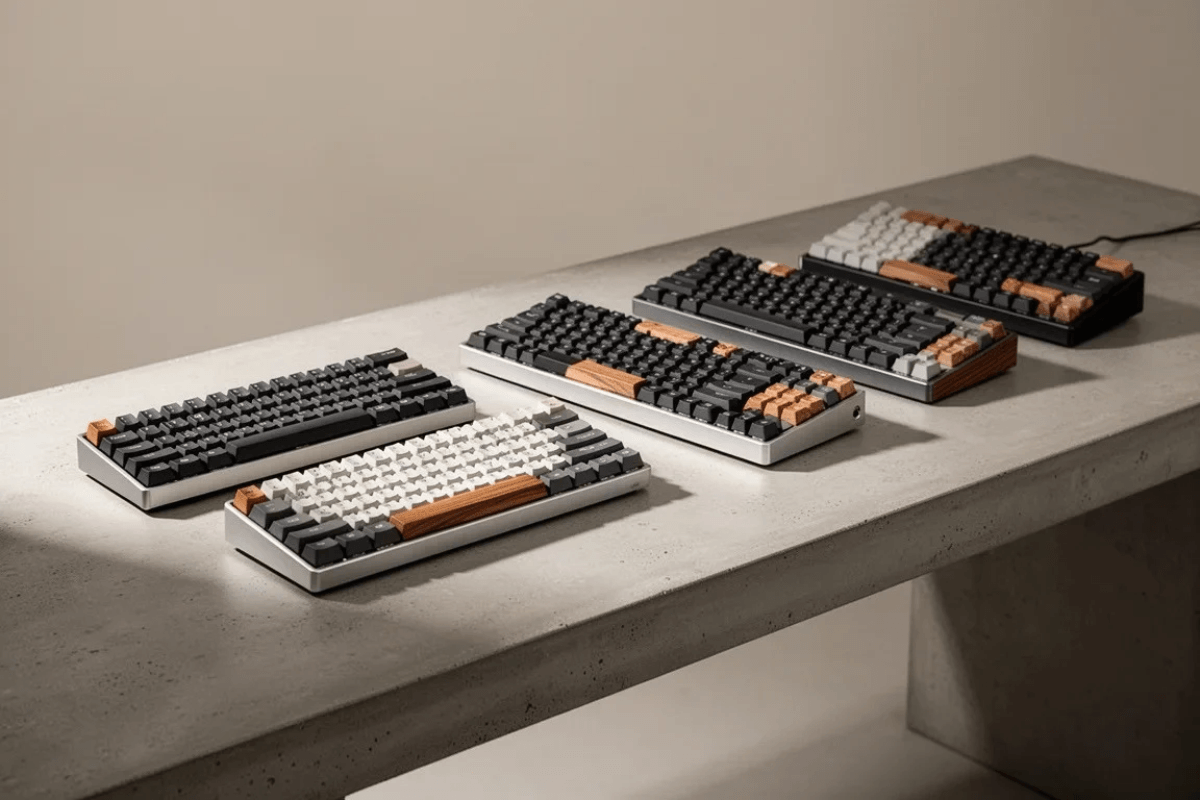
Hall Effect keyboards have become a major part of the competitive gaming keyboard market. Instead of relying on the fixed contact-based actuation used by conventional mechanical switches, they use magnetic sensing to detect key movement. This allows compatible keyboards to offer features such as adjustable actuation and Rapid Trigger.
For gamers, these features can provide much more control over how individual keys respond. When exploring magnetic keyboards at the GamePeripherals Online Store, however, choosing the right model is not simply about finding the shortest actuation distance or the biggest polling-rate number. Switch feel, software, layout, build quality, and everyday usability still matter.
What Makes a Good Hall Effect Gaming Keyboard?
A good Hall Effect gaming keyboard should make its magnetic technology genuinely useful rather than treating it as a specification for the product page. Reliable adjustable actuation, consistent calibration, and well-designed software are more important than an extremely wide adjustment range that is difficult to configure.
Build quality matters as well. Keycaps, stabilizers, mounting structure, case construction, and switches all affect how the keyboard feels and sounds. A fast keyboard that feels uncomfortable during long sessions may not be the best option for everyday gaming.
Why Adjustable Actuation Matters
Traditional mechanical switches normally have a fixed physical actuation behavior. Hall Effect technology allows compatible keyboards to determine actuation electronically based on the detected position of the magnetic switch.
This means you may be able to set frequently used gaming keys such as WASD to actuate with relatively little movement while giving other keys deeper actuation points to reduce accidental presses.

Shorter is not always better. Extremely sensitive settings can lead to unintended inputs, especially when typing, so adjustable actuation is most useful when you can tune it around your own habits.
What Is Rapid Trigger?
Rapid Trigger is one of the main reasons competitive players consider magnetic keyboards. Instead of requiring a key to return to a conventional fixed reset point, compatible implementations can dynamically respond to key movement.
This can be particularly useful in games that involve repeated directional inputs and fast movement changes. However, the quality of Rapid Trigger depends on the keyboard's hardware, firmware, calibration, and software implementation.

When choosing a GamePeripherals Hall Effect keyboard, look at how easily you can adjust these settings rather than focusing only on the smallest advertised trigger distance. A usable configuration can be more valuable than an extreme specification you never actually need.
Do Polling Rate and Scan Rate Matter?
Polling rate describes how frequently a keyboard communicates input information to the computer, while internal scanning relates to how the keyboard detects key states. These terms are sometimes presented together in gaming marketing, but they describe different parts of the input process.
Higher numbers can support more frequent updates, but they should not be viewed in isolation. Firmware processing, switch detection, connection type, and the overall implementation also contribute to keyboard latency.

For most shoppers, polling rate is worth comparing after the fundamentals are covered. A comfortable layout and reliable magnetic implementation are generally more meaningful than choosing a keyboard solely because it advertises the largest number.
Which Keyboard Layout Is Best for Gaming?
Compact layouts are especially popular for competitive gaming because they leave more room for large mouse movements. A 60% or 65% keyboard can work well for players who prioritize desk space and rarely use a function row.
A 75% layout offers a useful middle ground. It retains dedicated arrow keys and a function row while remaining considerably more compact than a traditional full-size keyboard. TKL layouts provide even more familiar spacing without the number pad.

There is no single best layout. FPS players may prioritize mouse space, while gamers who also use their keyboard for work or study may prefer easier access to additional keys.
How to Choose the Best Hall Effect Keyboard
Start with the games you actually play and the features you will use most. Competitive FPS players may prioritize Rapid Trigger, adjustable actuation, compact layouts, and consistent input behavior, while players who also use their keyboard for everyday tasks may prefer more keys or wireless connectivity. Here are three Hall Effect keyboards worth considering for different setups.
EWEADN X87HE - Best for an 87-Key Performance Setup
The EWEADN X87HE is a strong option for gamers who want magnetic-switch performance without moving to an ultra-compact layout. Its 87-key design keeps more dedicated keys within easy reach, while the wired connection and 8K positioning make it particularly appealing to performance-focused players. It is a practical choice if you want competitive gaming features but still prefer the familiarity of a larger keyboard.
AULA HERO 68XS - Best Compact Wireless Option
For gamers who want more freedom on the desk, the AULA HERO 68XS combines a compact 68-key layout with wireless connectivity and magnetic switches. The smaller footprint leaves more room for wide mouse movements, making it especially attractive for FPS setups, while wireless support gives it more flexibility for a clean, cable-free desk.
DAREU Cool68 - Best Compact Wired Option
The DAREU Cool68 is worth considering if you prefer a compact magnetic keyboard but want to keep things wired. Its 68-key layout saves valuable mouse space and focuses on the keys most gamers use regularly, making it a natural fit for competitive FPS setups. For players who do not need wireless connectivity, its straightforward wired design keeps the focus on gaming.
When comparing GamePeripherals gaming keyboards, think about which of these approaches fits your setup best: the X87HE for a more complete 87-key layout and 8K performance focus, the HERO 68XS for compact wireless flexibility, or the Cool68 for a compact wired gaming setup. The right choice ultimately depends on how much desk space, connectivity, and everyday functionality you want alongside Hall Effect features.

Leave a comment
This site is protected by hCaptcha and the hCaptcha Privacy Policy and Terms of Service apply.