

Choosing within a mouse family can be harder than comparing two visibly different designs. The Darmoshark M3 Series Medium-Large Hands 8K Wireless Gaming Mouse includes M3 V2 and M3 Ultra, which share the same listed footprint, approximately 58g weight and a 500mAh battery. Their sensor, controller and stated endurance are the distinctions that make the buying decision meaningful.
V2 pairs PAW3395 tracking with a Realtek controller, while Ultra moves to PAW3950 and Nordic 54L15. Both are listed with 8K wireless capability and an included 8K receiver. This review explains which features are shared and which belong to Ultra, so you can choose by your priorities rather than assuming every M3 carries the same hardware.
A full-size shape that stays around 58g
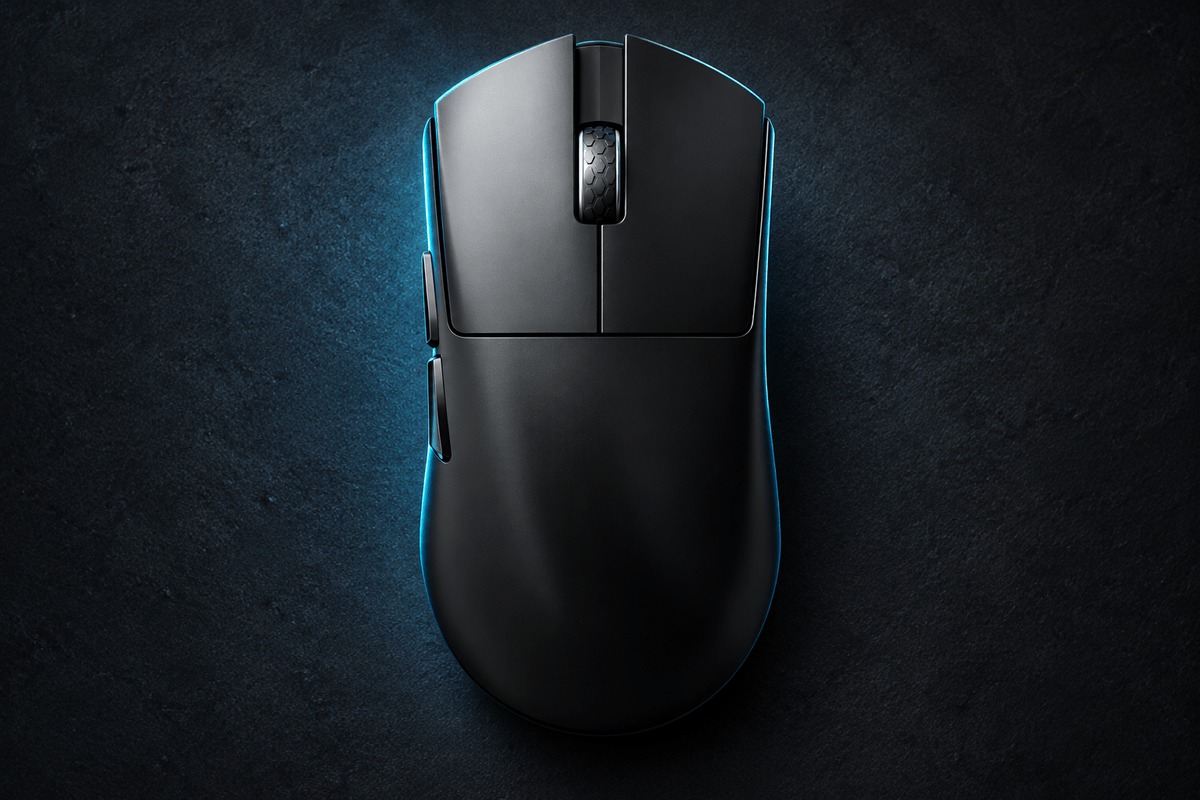
The store gives dimensions of 129.5 × 66 × 39mm for the family. That puts M3 in a useful position for medium to large hands: longer and broader than many compact fingertip mice, without taking the extra-large approach of Darmoshark's M9. The symmetrical shell offers a familiar starting point for palm, claw or fingertip preferences, depending on hand size.
For players browsing GamePeripherals symmetrical wireless mice, the important combination is a generous body and an approximate 58g target. More surface under the hand can provide support, but can also reduce the space available for finger-led adjustments. Compare the listed measurements with a mouse you know well. Length, width and rear contact matter more than choosing the version with the more impressive name.

V2 and Ultra use different tracking hardware
M3 V2 uses a PAW3395 sensor and a Realtek controller. M3 Ultra uses PAW3950 and Nordic 54L15. The product page's PAW3950 and Nordic feature panels therefore describe Ultra rather than establishing that specification for every selectable M3. Check the variant name before ordering if those components are central to your choice.
This is a useful upgrade path because the change does not require moving to a different listed shape or battery capacity. V2 remains relevant if you want the common body and 8K receiver capability at its lower listed price. Ultra is the targeted choice if you specifically want the newer tracking package and its longer advertised endurance at the stated test rate.
8K wireless support is shared
The comparison table lists selectable 2.4GHz rates up to 8,000Hz and includes an 8K receiver. That means wireless polling alone does not distinguish Ultra from V2. Use the supplied receiver and verify the selected setting in the relevant configuration software rather than treating the product title as confirmation of the active rate.
When choosing an 8K wireless gaming mouse for large hands, fit and system behavior should come before maximizing a setting. At 8,000Hz, the nominal interval between reports is 0.125ms, but total input delay includes the rest of the mouse and computer. Try the rate in your actual games and preserve a stable configuration if a lower setting runs more consistently on your setup.

The battery comparison needs its test condition
Both versions are listed with a 500mAh battery. The store quotes 125 hours of continuous battery life for V2 and 277 hours for Ultra, with both figures specified at 1kHz. The shared capacity makes the controller and firmware package a meaningful part of the comparison, but the ratings should not be carried over unchanged to 8K operation.
The table below keeps that condition attached to the numbers. Actual endurance varies with settings, activity and connection mode. If charging frequency matters to you, Ultra has the stronger stated 1K rating. If the shared shape and included receiver are your main priorities, V2 can still make sense without assuming that every buyer needs the highest endurance figure.
| Specification | M3 V2 | M3 Ultra |
|---|---|---|
| Sensor | PAW3395 | PAW3950 |
| Controller | Realtek | Nordic 54L15 |
| Listed battery rating at 1K | 125 hours; 500mAh | 277 hours; 500mAh |
| Wireless polling | Up to 8,000Hz; receiver included | Up to 8,000Hz; receiver included |
| Shared size and weight | 129.5 × 66 × 39mm; approx. 58g | Same listed dimensions and weight |
Click hardware and finish complete the design
The store's family table lists HUANO Transparent Blue Pink Dot main switches and a TTC Gold encoder. Those are shared specifications, so they should not be described as an Ultra-only upgrade. Main-click reach, rebound and wheel control remain practical details to assess alongside the sensor when adapting to the mouse.
Within the GamePeripherals FPS mouse collection, the M3 Ultra also receives particular attention for its cool-touch, micro-textured coating. The feature panels position it as a dry, grippy finish, including for sweaty hands. Treat that as a surface characteristic to evaluate personally, and confirm the selected V2 finish if coating is the reason you are buying. A familiar body can still feel different when the contact surface changes.

Connections and configuration for everyday use
The family lists wired, 2.4GHz and Bluetooth connectivity. That lets you choose a gaming receiver connection while retaining flexibility for another compatible device. The Ultra-focused page also describes browser-based customization for DPI, polling, button mapping, macros and lift-off distance. Check compatibility with your operating system and selected variant before relying on a particular configuration workflow.
For someone seeking a wireless FPS mouse with long battery life, Ultra's 277-hour figure is useful specifically as a 1K comparison point. Build your charging routine around the mode you actually use. Keep your normal sensitivity while adjusting to the 129.5mm body, then change one setting at a time. This makes it easier to tell whether a difference comes from the grip, surface finish or software profile.
Verdict for buyers deciding where to spend
M3 V2 and Ultra share the qualities that define the family: a substantial symmetrical shape, approximately 58g weight, tri-mode flexibility and an included receiver supporting 8K wireless polling. The strongest case for Ultra is the PAW3950 and Nordic 54L15 package, together with the longer stated runtime at 1K.
Choose V2 when the common shape and feature set already meet your needs. Choose Ultra when its hardware and stated endurance address a clear priority. Review the exact variant and finish before buying, because a product-family headline can make several different configurations look more alike than they are.
FAQ
What is the main difference between M3 V2 and Ultra?
V2 uses PAW3395 and Realtek electronics; Ultra uses PAW3950 and Nordic 54L15, with a longer stated 1K battery rating.
Do both versions include an 8K receiver?
Yes. The store comparison lists an included 8K receiver and wireless polling up to 8,000Hz.
Does the 277-hour rating apply at 8K?
No. The store specifies 277 hours for M3 Ultra at 1kHz, not at the maximum polling rate.

Leave a comment
This site is protected by hCaptcha and the hCaptcha Privacy Policy and Terms of Service apply.