
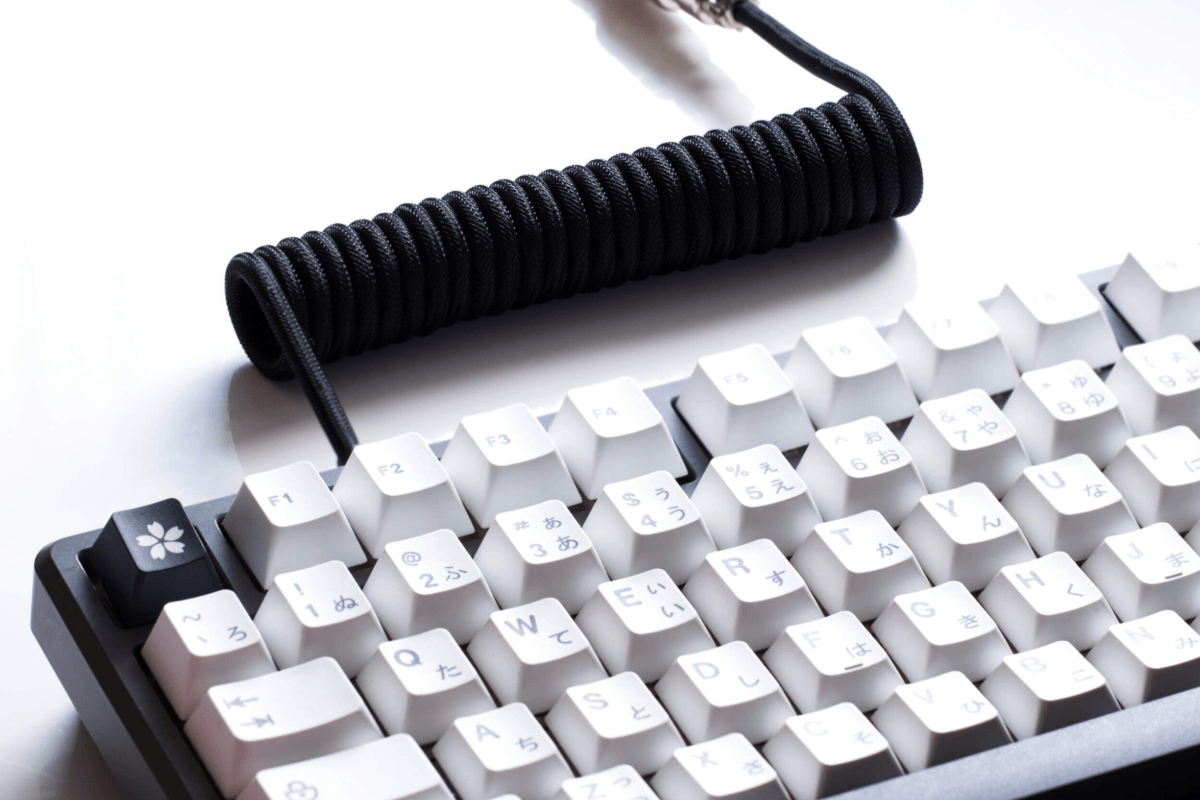
Coiled keyboard cables have become a popular choice among mechanical keyboard enthusiasts and gamers, thanks to their distinctive look and cleaner cable management. However, some users wonder whether the coiled design can affect keyboard performance, especially input latency, connection stability, or responsiveness.
The good news is that a well-made coiled keyboard cable generally does not have a noticeable impact on keyboard polling rate or overall performance. In this guide, we’ll compare coiled and straight cables, explain how coiled cables work, and look at the factors that actually affect keyboard performance.
Coiled vs. Straight Keyboard Cables
Coiled and straight keyboard cables both serve the same basic purpose: connecting your keyboard to your computer and transmitting power and data. The main difference is their physical design. A coiled keyboard cable features a spring-like section that can reduce cable clutter and add a distinctive look to a gaming or mechanical keyboard setup. A straight cable is simpler, more flexible, and typically easier to route over longer distances.
| Feature | Coiled Keyboard Cable | Straight Keyboard Cable |
| Design | Spring-like coiled section | Simple, straight design |
| Cable Management | Helps reduce visible cable clutter | Usually requires more cable routing |
| Flexibility | Moderate; designed to stretch within limits | More flexible for long-distance routing |
| Aesthetics | Distinctive and customizable | Clean and minimalist |
| Performance | Generally similar with quality components | Generally similar with quality components |
| Best For | Gaming setups and custom keyboards | Everyday use and simple setups |
In terms of performance, the shape of the cable itself usually makes little difference. A properly built coiled cable can provide the same reliable connection as a straight cable, provided that the cable length, connectors, and internal components are of good quality. For most users, the choice comes down to aesthetics, desk organization, and flexibility rather than keyboard speed or responsiveness.

How a Coiled Keyboard Cable Works
A coiled keyboard cable works in much the same way as a standard USB keyboard cable. Inside the cable are wires that carry power and data between the keyboard and computer, while the connectors at each end provide the physical connection. The main difference is the cable’s outer design: part of the cable is tightly wound into a coil, allowing it to stretch when needed and retract when there is less tension.

The coiled section is mainly designed for cable management and aesthetics, rather than improving keyboard performance. A quality cable uses properly constructed wiring, connectors, and shielding to maintain a stable connection during use. As long as these components meet the requirements of the keyboard and computer, the coiled shape itself does not prevent the cable from transmitting data reliably.
Do Coiled Keyboard Cables Affect Latency?
A properly designed coiled keyboard cable should not cause noticeable input latency compared with a straight cable. The coiled shape itself does not inherently slow down the transmission of data from a full size mechanical keyboard. For most gaming and everyday use, the difference in latency between a quality coiled cable and a standard straight cable is effectively negligible.

If you experience noticeable input delay, the cable design is unlikely to be the main cause. Factors such as the keyboard’s polling rate, firmware, switch technology, USB connection, and computer settings typically have a much greater impact on responsiveness. For competitive gaming, choosing a high-quality cable with reliable connectors and proper construction is more important than whether the cable is coiled or straight.
Can Coiled Cables Cause Connection Problems?
A coiled cable can cause connection problems in some situations, but the issue is usually related to cable quality rather than the coiled design itself. Poor-quality wiring, weak connectors, inadequate shielding, or excessive cable length can lead to intermittent disconnections, unstable power delivery, or unreliable data transmission. A coil that is stretched too far or kept under constant tension may also put additional stress on the connectors.

For a reliable gaming setup, choose a coiled cable made with quality components and connectors that are compatible with your keyboard and computer. Make sure the coil is not pulled beyond its intended length, and check for loose connections or visible cable damage if you experience problems. Under normal conditions, a well-made coiled cable should provide a stable connection without affecting your keyboard’s everyday performance.
What Actually Affects Keyboard Performance?
Several factors have a much greater impact on keyboard performance than whether the cable is coiled or straight. Mechanical keyboard switches can affect how quickly and consistently a key press is detected, while the keyboard polling rate determines how frequently input is reported to the computer. Firmware, USB connection quality, and the keyboard’s internal controller can also influence responsiveness and stability.
| Factor | How It Affects Keyboard Performance |
| Polling Rate | Determines how frequently the keyboard reports input to the computer |
| Switch Technology | Affects how quickly and consistently key presses are detected |
| Firmware | Controls keyboard functions and can influence responsiveness and stability |
| USB Connection | A reliable connection helps maintain consistent data transmission |
| Internal Controller | Processes and sends key input to the computer |
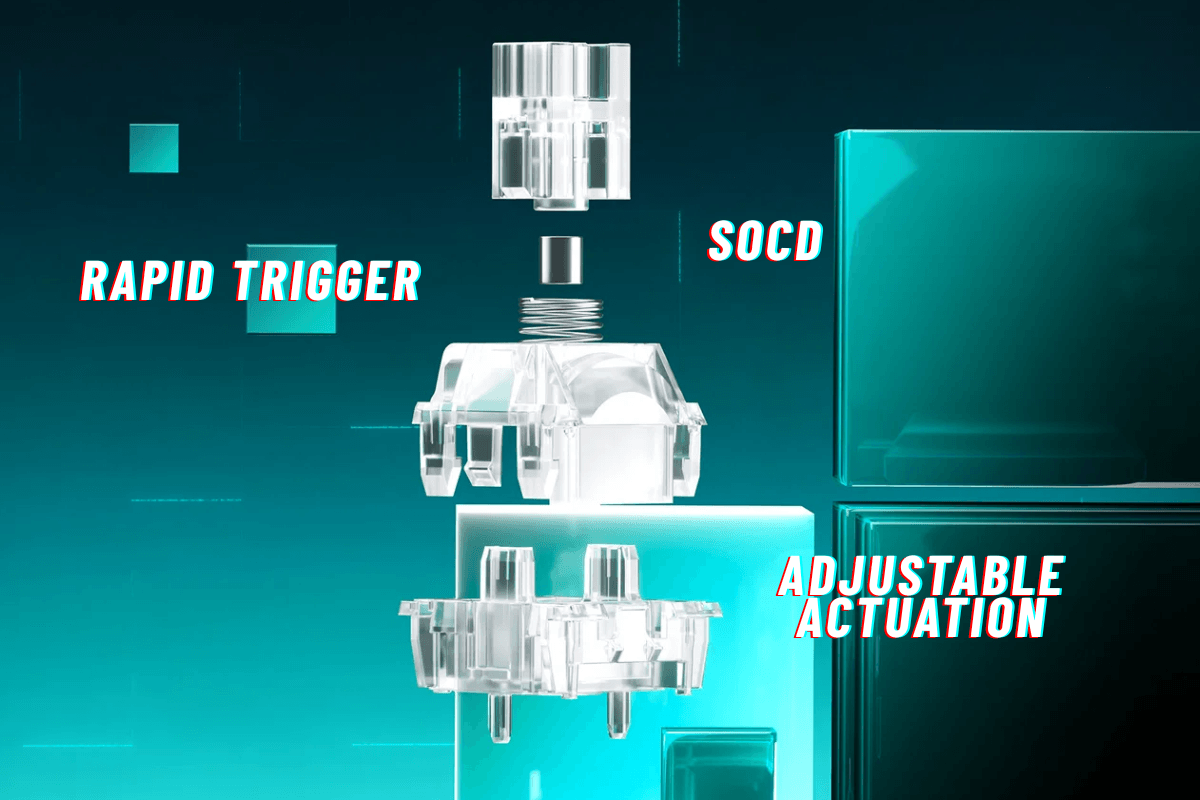
| Rapid Trigger | Allows faster detection and adjustment of key actuation |
| Hall Effect Switches | Enable adjustable actuation and rapid input detection |
| PC & Software Settings | Background processes and outdated firmware can contribute to input issues |
For competitive gamers, features such as rapid trigger technology and Hall Effect switches can make a more noticeable difference by allowing faster input detection and actuation adjustments. Your computer and software settings also matter, as background processes, USB issues, or outdated firmware can sometimes contribute to input problems. In other words, when optimizing keyboard performance, focus on the keyboard’s hardware and configuration first rather than worrying about the shape of its cable.
Are Coiled Keyboard Cables Worth It?
For most gamers and mechanical keyboard enthusiasts, coiled keyboard cables are worth considering if you value clean cable management, customization, and aesthetics. They can give a keyboard setup a more polished appearance while keeping excess cable neatly contained. When made with quality components, a coiled cable can also provide reliable power and data transmission without noticeably affecting latency or responsiveness.

However, a coiled cable is not necessary for better keyboard performance. If your main priority is flexibility, simplicity, or lower cost, a standard straight cable may be the more practical choice. Ultimately, the decision comes down to personal preference and build quality. As part of your overall GamePeripherals gaming gear setup, a coiled cable can add visual appeal and improve desk organization, but you should still prioritize reliable connectors, proper construction, and compatibility when making your purchase.

Leave a comment
This site is protected by hCaptcha and the hCaptcha Privacy Policy and Terms of Service apply.