

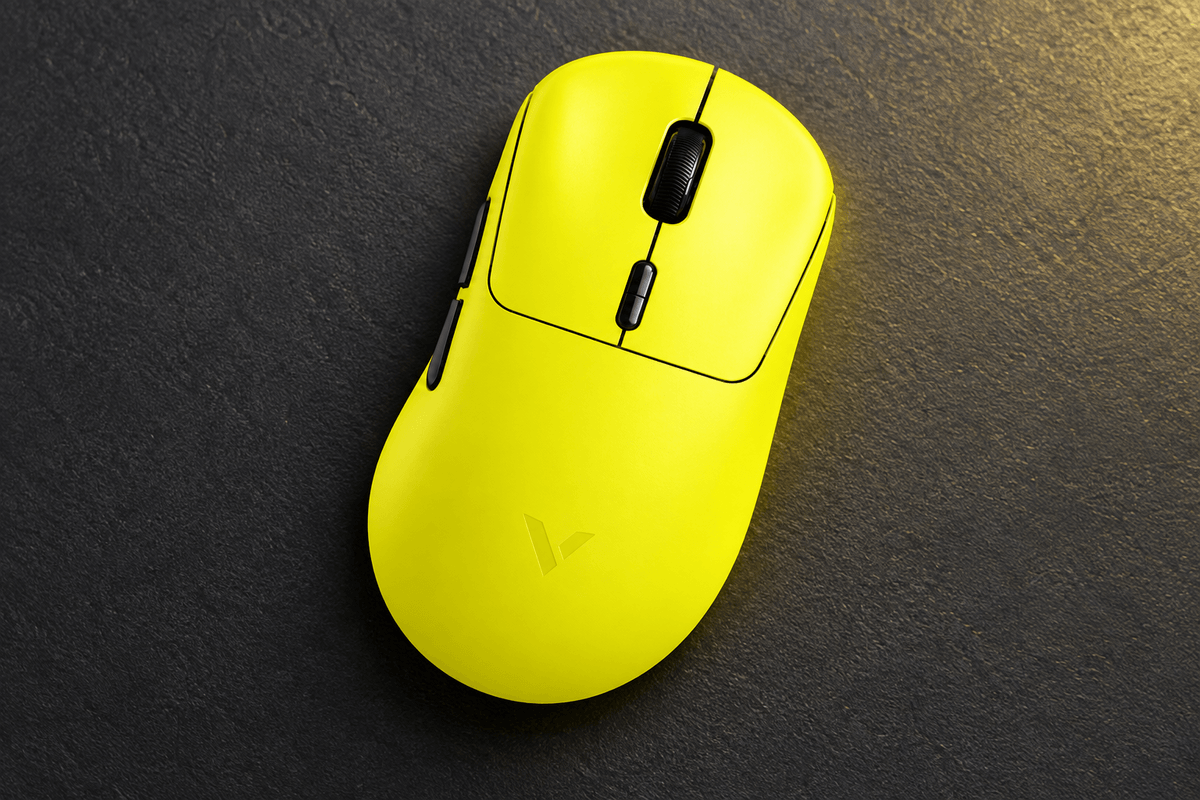
The VALKYRIE M5 series is recognizable before you read a specification sheet. Its character artwork and themed colors give it the personality of a collectible gaming accessory, while the hardware range includes native dual 8K polling and, on selected versions, replaceable batteries with a display charging receiver.
For anyone browsing GamePeripherals anime gaming peripherals, that combination is the real reason to investigate the M5. The design is expressive, but the different tiers are not simply identical mice with different illustrations. This review uses the current store specifications to explain which upgrades matter and which version best matches your charging habits and gaming priorities.
Character artwork on a full size shape
The listing includes themes such as Merlin, Loki, Dracula, ZhaoYun and LvBu, with the Max offered in a Thor design. The artwork is visible across the rear shell, making the mouse an obvious part of a coordinated setup. If you prefer subtle equipment, this styling may be less suitable than a plain-color alternative.
All listed M5 tiers share dimensions of 125 x 68 x 42mm. That is a relatively full body rather than a miniature fingertip mouse. Compare the width and height with your current mouse, especially if your hand is small or you rely on quick finger movements within a claw grip.
When choosing an anime wireless gaming mouse, it is easy to focus on the illustration and overlook that fit check. The character theme should be the finishing touch on a mouse you can hold comfortably. A design that looks perfect next to your keyboard is less useful if the rear shell pushes your palm into an awkward position.

Five tiers with real hardware differences
The base M5 uses a PAW3395 sensor and TTC Gold mechanical main switches. Super, EVO and Pro move to the PAW3950 VK AMG with TTC optical switches. Max changes again to PAW3955 THOR and HUANO SPDT mechanical switches. The top tier therefore should not be described as an optical-switch model.
| Version | Sensor and main switches | Power and receiver |
|---|---|---|
| M5 | PAW3395; TTC Gold mechanical | 600mAh; custom 8K receiver |
| M5 Super | PAW3950 VK AMG; TTC optical | 600mAh; custom 8K receiver |
| M5 EVO | PAW3950 VK AMG; TTC optical | 600mAh; custom 8K receiver |
| M5 Pro | PAW3950 VK AMG; TTC optical | Two replaceable 300mAh batteries; display charging receiver |
| M5 Max | PAW3955 THOR; HUANO SPDT mechanical | Two replaceable 300mAh batteries; display charging receiver |
The base, Super and EVO are listed at approximately 58g, while Pro and Max are approximately 56g. Those small differences matter less than whether you prefer the selected switch feel and charging arrangement. Sensor ceilings also vary, but everyday sensitivity tuning is more relevant than trying to use the maximum advertised DPI.
The replaceable battery upgrade
The Pro and Max include two replaceable 300mAh batteries and a smart display charging receiver. The standard M5, Super and EVO instead list a 600mAh battery. That is a crucial distinction if battery swapping is the feature that brought you to this series.
Within GamePeripherals swappable battery mice, the M5 Pro and Max offer an appealing approach for players who would rather swap a charged battery than attach a cable mid-session. The receiver brings charging and status information into the desk setup. Confirm the package contents for your selected version instead of assuming the pictured accessories accompany every M5.
The replaceable packs are also a reason to check battery compatibility carefully. A generic battery should not be installed just because its capacity looks similar. Follow the supplied instructions and use the correct replacement type when maintaining the mouse.
Dual 8K and the Super model distinction
Every listed tier supports native wired and wireless 8K polling, and the series lists selectable 1K, 2K, 4K and 8K button scanning. The Super also has a specific 8K dual-mode toggle feature and a Nordic 54L controller. That special mode feature is not listed for the other tiers, even though they still support standard wired and wireless 8K reporting.
An 8K polling setting produces a nominal 0.125ms reporting interval. It does not establish the total latency of the mouse or your PC. Test higher rates on your system and reduce the setting if frame-time consistency suffers. A comfortable shape with stable tracking remains more important than leaving every setting at its maximum.
Bluetooth adds a convenient third connection option for compatible everyday devices. Reserve the wired or 2.4GHz connection for performance-focused gaming; the advertised 8K behavior should not be assumed to apply to Bluetooth.
Charging habits should decide the tier
If you are shopping for a gaming mouse with swappable batteries, begin with Pro and Max because their replaceable packs are the relevant upgrade. The question is whether you will use that flexibility enough to justify choosing those models over a simpler single-battery configuration.
The listing includes office-use runtime figures that differ by tier. Those figures should not be treated as measured 8K gaming endurance. Connection settings, polling and activity affect battery use, so the most useful comparison is the charging workflow: regular cable charging versus managing two compatible replaceable packs.
The base, Super and EVO keep that routine straightforward. Pro and Max suit a desk where the display receiver and spare pack have a permanent place. If you regularly move the mouse between locations, consider whether you want to carry and manage those extra accessories.
Coating and everyday controls
Base and Super are described as having a skin-feel coating, while EVO, Pro and Max use an ice-feel coating. These labels indicate different finishes, although they do not replace trying the mouse with your own hand. Grip comfort can change with temperature, moisture and how tightly you hold the sides.
The series also lists PTFE feet and a TTC Golden Wheel encoder. The main switches vary by tier, so read the full variant specifications when click technology matters. Web and dedicated driver options provide configuration access without making the artwork the only customizable element.
Which M5 makes the most sense
Choose the base if you mainly want the character styling and shared dual 8K capability. Super and EVO are worth comparing when you want the PAW3950-based hardware without the replaceable battery setup. Pro is the more direct choice for optical switches plus battery swapping; Max changes both the sensor and switch technology.
The VALKYRIE M5 8K Wireless Gaming Mouse works best when its theme, full-size shape and chosen tier all align with your needs. Check the exact model name beside the artwork on the product page before buying, because the most useful features are tied to that selection.
FAQ
Do all M5 versions have replaceable batteries
No. The Pro and Max list two replaceable 300mAh batteries.
Does the M5 Max use optical switches
No. It lists HUANO SPDT mechanical main switches.
Is 8K polling available over Bluetooth
The listing specifies wired and wireless gaming 8K support; do not assume that rate applies to Bluetooth.

Leave a comment
This site is protected by hCaptcha and the hCaptcha Privacy Policy and Terms of Service apply.