
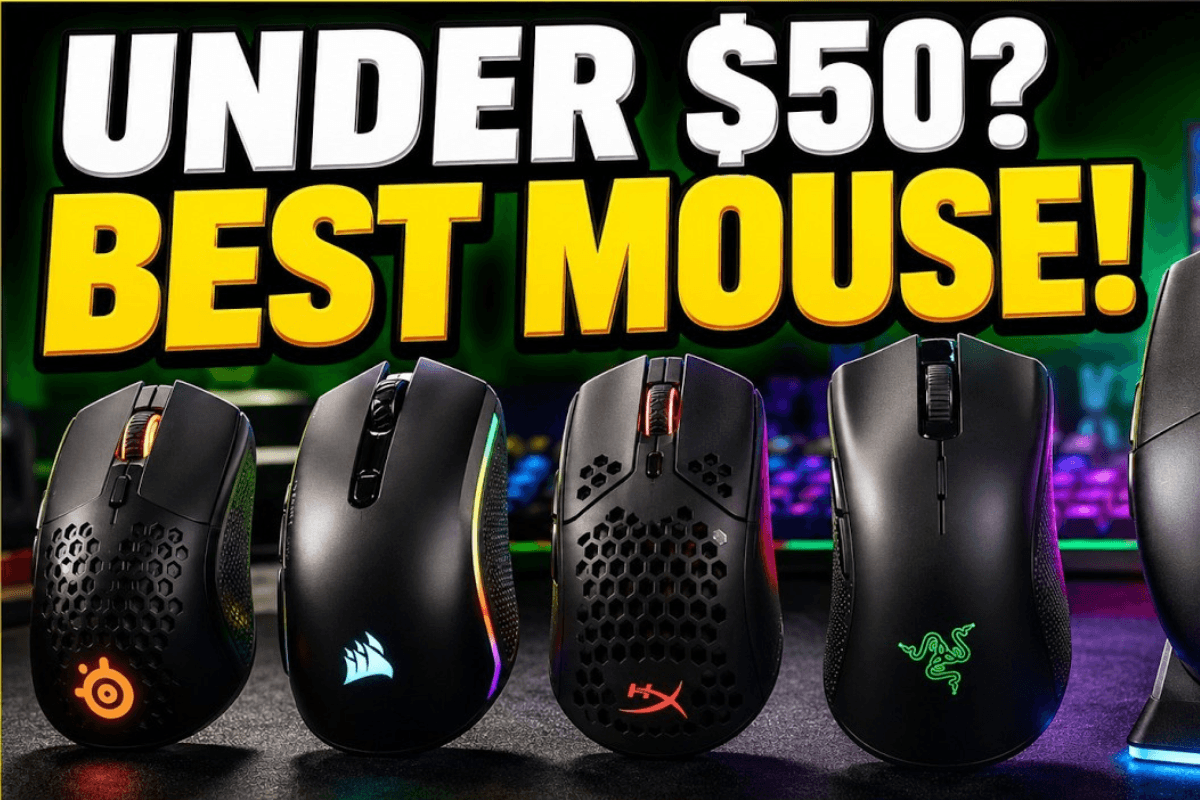
A $50 budget can go surprisingly far when shopping for a gaming mouse in 2026. Affordable models now offer lightweight shells, capable optical sensors, low-latency wireless connections, and gaming-focused shapes that were once associated mainly with more expensive products.
Finding the right gaming mouse under $50 is not about chasing the highest DPI or the longest feature list. Shape, weight, sensor implementation, grip compatibility, switches, and connectivity can matter more during everyday gaming. Knowing where to prioritize your budget makes it easier to find a mouse that performs well without paying for features you will rarely use.
What Should You Expect From a Gaming Mouse Under $50?
Budget gaming mice inevitably make some compromises, but core gaming performance does not have to be one of them. Modern optical sensors can provide more than enough sensitivity and tracking capability for typical gaming settings.
When browsing GamePeripherals budget gaming mice, prioritize the fundamentals first: a shape that fits your hand, reliable buttons, consistent tracking, suitable weight, and a connection method that matches your setup. RGB, elaborate charging systems, and premium construction materials should generally be secondary considerations at this price.
Some models may even include high-end features such as high polling rates or advanced software controls, although availability and implementation vary between products.
Choose a Mouse That Fits Your Grip
Shape is one of the most important factors when buying a mouse online. Players commonly describe their grip as palm, claw, or fingertip, but hybrid grips are also common.
Palm users generally make more contact with the shell and may prefer a larger, supportive shape. Fingertip users control the mouse primarily with their fingers and often benefit from compact, lightweight designs.

When choosing a claw grip mouse, look carefully at the rear hump, overall length, width, and side profile. A shape that provides comfortable rear-palm support while leaving the fingers naturally curved can work well for this style.
Always compare the mouse dimensions with a model you already find comfortable whenever possible.
How Much Does Mouse Weight Matter?
Lightweight gaming mice remain popular in 2026, particularly among FPS players using lower sensitivity. Less mass can make repeated flicks, tracking movements, and repositioning easier.
However, there is no ideal weight for every gamer. Some players prefer additional weight because it creates a more planted feeling, especially when using higher sensitivity or playing games that require smaller movements.

Weight distribution matters as well. A well-balanced mouse can feel easier to control than a lighter mouse with too much weight concentrated at the front or rear.
Don't Buy Based on DPI Alone
Maximum DPI is one of the easiest specifications to advertise, but it should not determine which budget mouse you buy. Modern gaming sensors can support sensitivity levels far beyond what most players actually use.
Instead, consider the sensor model where available, along with tracking consistency, lift-off behavior, firmware, and the manufacturer's implementation.

You should also remember that a premium sensor name does not guarantee the best overall mouse. Shape, switches, skates, wireless performance, and build quality still influence the actual gaming experience.
Do You Need an 8K Polling Rate?
Polling rate indicates how often a mouse reports information to the computer. While 1,000 Hz has long been common for gaming, newer mice can support 2K, 4K, or even 8K modes.
Finding an 8k polling rate mouse below $50 can make the specification appealing to performance-focused buyers, but 8K should not automatically take priority over comfort and sensor quality. Higher reporting rates can also increase CPU usage or battery consumption depending on the hardware and implementation.

For a budget gaming setup, a reliable lower polling rate can still be perfectly practical. Treat 8K as an additional feature rather than a requirement.
Best Budget Mouse for FPS Gaming in 2026
A budget FPS mouse does not have to look basic or sacrifice every performance-focused feature. For players shopping below $50, the VALKYRIE M5, INPHIC IN9, and CROCIRIS X7 stand out for very different reasons. The M5 focuses on anime-inspired styling, the IN9 takes a more futuristic approach, while the X7 is aimed at players who prioritize specifications and competitive gaming performance.
VALKYRIE M5 – Best for Anime-Inspired Gaming Setups
The VALKYRIE M5 series stands out immediately with its anime-inspired appearance, making it an appealing choice for gamers who want their mouse to become part of the visual identity of their setup. Compared with the understated shells found on many budget gaming mice, its distinctive graphics and styling can pair especially well with RGB desks, anime-themed keycaps, desk mats, and other personalized peripherals.
The M5 is not just about appearance, either. Its gaming-oriented specifications make it a practical option for everyday FPS play, giving users a balance between distinctive design and capable performance without moving into a much more expensive category. For gamers who care about both aesthetics and functionality, the M5 offers something different from the typical minimalist gaming mouse.
INPHIC IN9 – Best Futuristic Design
The INPHIC IN9 series takes a completely different approach, with a futuristic shape inspired by the appearance of a spacecraft. Its distinctive shell gives the mouse a more aggressive, sci-fi character, making it particularly suitable for modern gaming setups built around futuristic hardware and RGB lighting.
Beyond the spaceship-inspired appearance, buyers should consider how the IN9's shape works with their hand size and preferred grip. Players searching for a claw grip mouse, for example, should pay attention to the rear profile, side curves, and button positioning rather than choosing on appearance alone. For users who want a budget mouse that looks noticeably different from conventional designs, however, the IN9's visual identity is one of its biggest attractions.
CROCIRIS X7 – Best for High-End Specifications
The CROCIRIS X7 series is the performance-focused choice of the three. Instead of making appearance its main selling point, the X7 is better suited to gamers who prioritize high-end specifications and want as much performance as possible from a budget-friendly mouse.
For competitive FPS players, this is where features such as the sensor, polling rate, weight, switches, and wireless implementation become especially important. A well-equipped X7 configuration can therefore appeal to shoppers who would rather spend their budget on performance-oriented hardware than decorative extras. When comparing an 8k polling rate mouse or other high-spec gaming options, however, always check the specifications of the exact X7 version because features can vary between configurations.
These three mice target different priorities. Choose the VALKYRIE M5 if anime-inspired styling is an important part of your gaming setup, consider the INPHIC IN9 if you prefer a distinctive spacecraft-inspired design, or look toward the CROCIRIS X7 if high-end specifications are your main priority. The best choice ultimately depends on whether you value visual design, unconventional styling, or maximum gaming performance most.


Leave a comment
This site is protected by hCaptcha and the hCaptcha Privacy Policy and Terms of Service apply.