
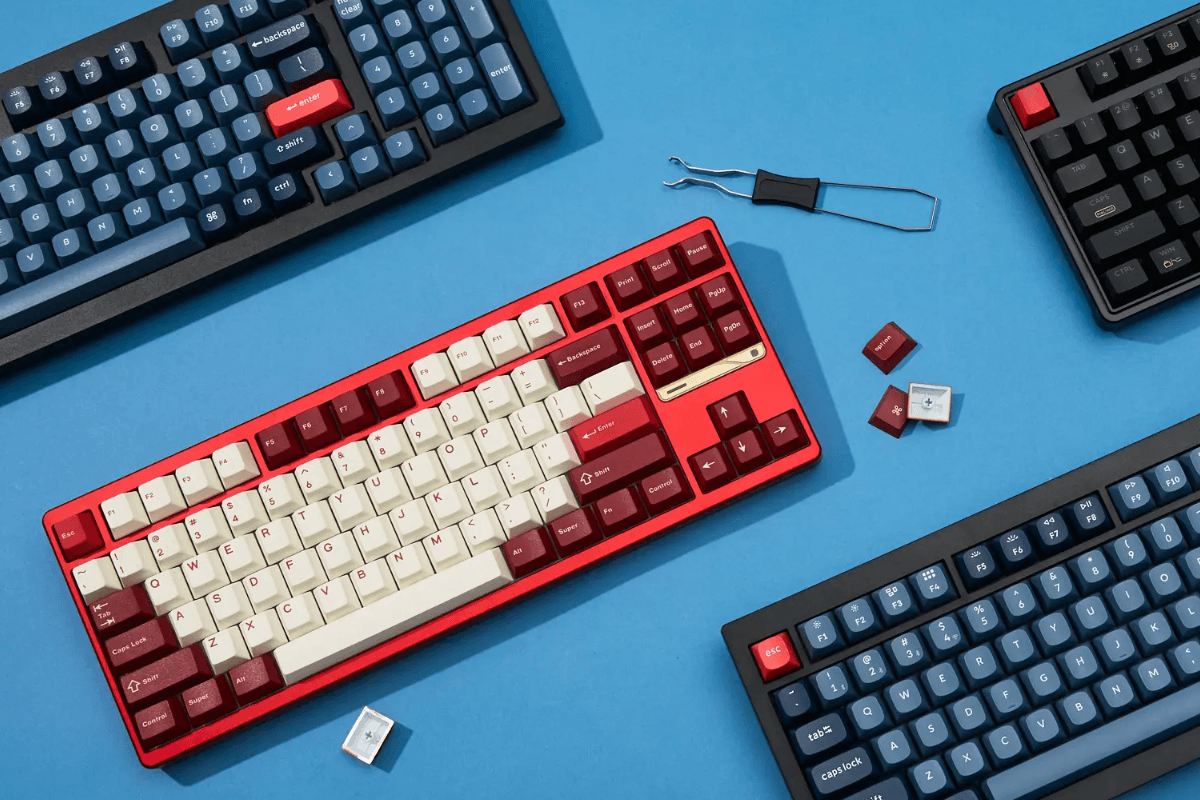
Mechanical keyboards remain a popular choice for gaming in 2026, but choosing the right one involves more than picking a switch type or RGB design. Modern gaming keyboards come in compact 75%, tenkeyless, and full-size layouts, with wired and wireless connectivity, hot-swappable switches, different polling rates, and extensive customization options.
The best choice ultimately depends on your games, desk space, typing habits, and preferred key feel. A competitive FPS player may prefer a compact layout for extra mouse room, while someone who games and works on the same PC may benefit from a larger keyboard with more dedicated keys.
What Makes a Good Gaming Keyboard in 2026?
A good gaming keyboard should combine reliable input performance with a layout and switch feel that suit the player. Build quality, keycaps, stabilizers, firmware, connectivity, and customization are all worth considering alongside headline specifications.
When browsing GamePeripherals mechanical keyboards, think about how you actually use your setup. Features such as hot-swappable switches can be valuable if you enjoy customization, while multi-device wireless connectivity may matter more if you regularly switch between a desktop, laptop, and other devices.
The most feature-packed keyboard is not necessarily the best one. A balanced model that fits your gaming and everyday needs usually makes a better long-term choice.
Wired vs Wireless Gaming Keyboards
Wired mechanical keyboards remain a simple and dependable choice. They do not require battery management and can be particularly convenient for a permanent desktop gaming setup.
Wireless models provide more flexibility and can reduce cable clutter. Many modern keyboards offer 2.4 GHz wireless for gaming, Bluetooth for connecting additional devices, and USB-C wired operation when needed.

If you choose wireless, check the actual connection modes offered by the model. Battery capacity, latency, RGB usage, and power-saving behavior can also influence the day-to-day experience.
Linear Switches or Tactile Switches?
Linear and tactile switches provide noticeably different experiences. Linear switches move smoothly through the keypress without a tactile bump, which is why many gamers enjoy them for movement commands and repeated inputs.
Choosing linear keyboard switches can make sense for FPS and action gaming, especially if you prefer smooth, consistent key travel. Switch force still matters, however, because an extremely light switch may make accidental inputs easier for some players.

Tactile switches provide a noticeable bump during the keypress. They can be a strong option for gamers who also type frequently and prefer more physical feedback. Neither type is universally better, so personal preference should guide the decision.
What About Polling Rate?
Polling rate indicates how frequently a keyboard can report information to the connected computer. A 1,000 Hz polling rate is common on gaming keyboards, while some performance-focused models offer higher rates.
Higher polling rates can reduce the interval between reports, but the largest advertised number does not automatically mean a keyboard will feel dramatically faster. Switch behavior, keyboard scanning, firmware, connection method, and the computer itself are also part of the input chain.

For most buyers, polling rate should be considered alongside overall keyboard quality rather than used as the only performance metric.
Mechanical Keyboards With Different Layouts
Keyboard layout has a direct impact on both functionality and desk space. Compact boards give your mouse more room, while larger layouts provide easier access to dedicated keys.
For gaming in 2026, three particularly useful options are 75%, 80%/TKL, and 100% full-size layouts.

75% Layout Mechanical Keyboard
A 75 percent keyboard compresses the traditional layout while generally retaining the function row, arrow keys, and important navigation controls. It takes up considerably less desk space than a full-size keyboard without becoming as minimal as a 60% board.
One option to consider is the PMO P75 Wireless Mechanical Keyboard. Its compact format makes it suitable for gaming setups where mouse space matters, while the retained function row and arrow keys make the layout practical for everyday typing and productivity.
The P75 is especially relevant for gamers who want one keyboard to cover both play and daily computer use without occupying unnecessary desk space.
80% (TKL) Layout Mechanical Keyboard
An 80%, or tenkeyless, layout removes the number pad while keeping the function row, arrow keys, and a more traditional navigation cluster. It is a familiar transition for anyone moving away from a full-size keyboard.
The INPHIC K87PRO Wireless Mechanical Keyboard is worth considering in this category. As a TKL mechanical keyboard, its layout offers more dedicated controls than smaller boards while freeing up the space normally occupied by the numpad.
This makes the K87PRO a practical choice for users who want a traditional keyboard experience for gaming and general desktop use but rarely need a dedicated number pad.
100% Layout Mechanical Keyboard
A 100% mechanical keyboard retains the full alphanumeric section, function row, navigation cluster, arrow keys, and dedicated number pad. It requires more desk space but provides immediate access to virtually every standard key.
For users who prefer this approach, the 1STPLAYER NEO108 Wireless Mechanical Keyboard offers a full-size alternative to compact gaming boards. A 100% layout can be particularly convenient if the same computer is used for gaming, spreadsheets, data entry, work, or other tasks where the numpad is regularly needed.
Full-size keyboards are not automatically worse for gaming. If you have sufficient desk space and value the additional keys, the NEO108-style layout can be more practical than sacrificing functionality simply to use a smaller board.
Choose the Mechanical Keyboard That Suits You
There is no single mechanical keyboard layout that works best for every gamer. Your ideal choice depends on how much desk space you have, which keys you use, the games you play, and whether the keyboard also needs to handle work or study.
Choose the PMO P75 if you want a compact 75% layout that balances mouse space and everyday functionality. Consider the INPHIC K87PRO if you prefer the familiar controls of a TKL layout without a numpad. If dedicated keys and a number pad are important, the 1STPLAYER NEO108 provides the functionality of a full-size layout.

Ultimately, the best gaming keyboard in 2026 is the one that matches your actual setup rather than the model with the longest specification list. Compare layout, switches, connectivity, build quality, and the features you will genuinely use before making your choice.


Leave a comment
This site is protected by hCaptcha and the hCaptcha Privacy Policy and Terms of Service apply.