
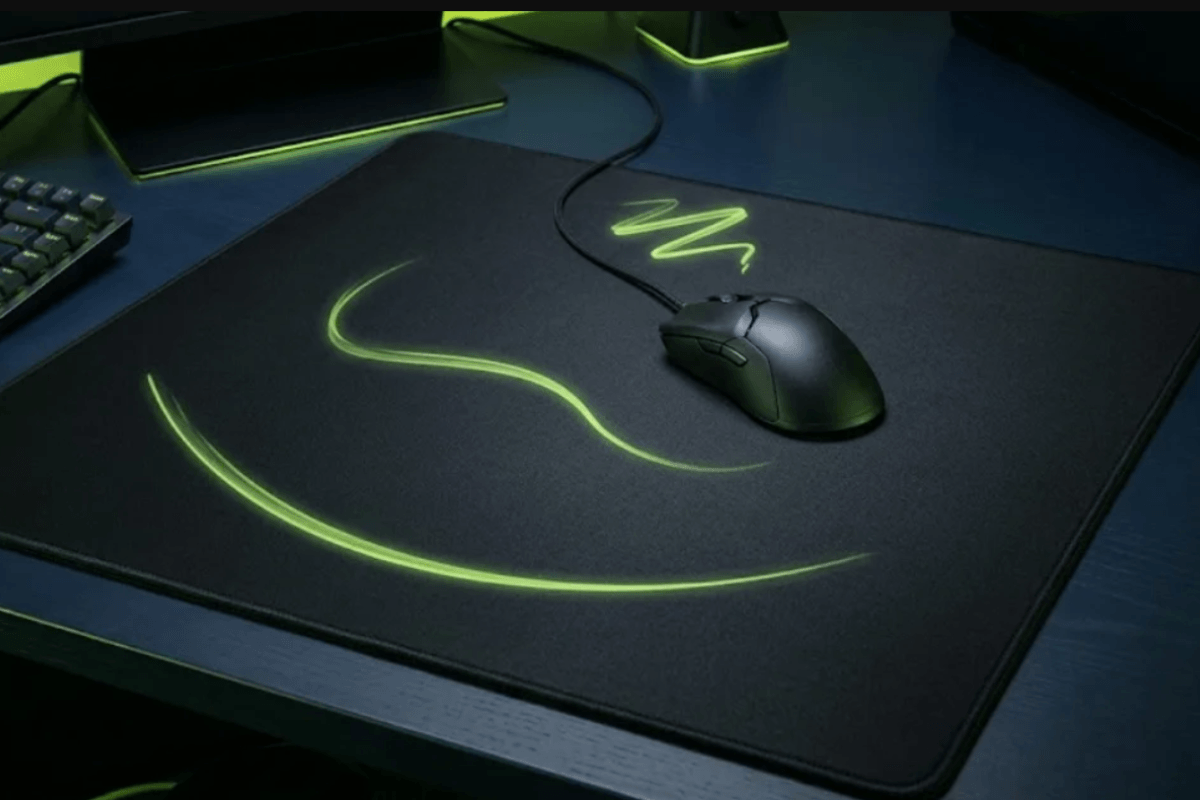
Choosing the right gaming mouse pad is not just about size or design. Your mouse sensitivity affects how far and how quickly you move your mouse, while the pad’s surface determines how easily those movements start, glide, and stop. Low-sensitivity players often need more space for wide arm movements, whereas high-sensitivity players may prioritize precise micro-adjustments. In this guide, we’ll explain how sensitivity, surface speed, control, size, and material work together so you can choose a mouse pad that feels natural and supports more consistent aim.
What Does Mouse Sensitivity Mean?
Mouse sensitivity describes how far your cursor or crosshair moves in response to physical mouse movement. It is determined by your mouse’s DPI and the sensitivity setting inside the game. A lower sensitivity requires longer arm movements, while a higher sensitivity allows the same turn with a shorter wrist or fingertip motion.

DPI alone does not tell the full story because in-game sensitivity scales it up or down. Players can compare settings using eDPI (DPI × in-game sensitivity) within the same game, while cm/360 measures the physical distance needed to complete a full turn. A mouse pad does not change these settings, but its size and friction can make the same sensitivity feel faster, slower, or easier to control.
The Three Most Important Mouse Pad Features
The three features that have the greatest effect on how a gaming mouse pad feels are surface speed, size, and material.
Surface Speed and Control

A faster surface creates less resistance, making long swipes and quick direction changes easier. A control-oriented surface adds friction and stopping power, which can help prevent overshooting. The goal is not to choose the fastest or slowest pad, but a surface that lets you start, track, and stop predictably.
Size

Your pad must provide enough room for your normal range of motion. Low-sensitivity players usually benefit from a large mouse pad because they make wider arm movements. High-sensitivity players need less travel, although extra space still prevents the mouse from reaching the edge during sudden turns.
Material

Cloth mouse pads generally offer a comfortable, controlled glide, while hybrid pads balance speed and stopping power. Hard or glass mouse pads usually feel faster and more direct. Material also affects comfort, noise, durability, and cleaning, so the best choice should match both your sensitivity and personal preference.
Choose a Mouse Pad for Your Sensitivity
Your sensitivity determines how far you move the mouse, but it does not point to one universally correct surface. Use the following recommendations as a starting point, then adjust for your aim style and any problems you notice.
Low Sensitivity
Low-sensitivity players make wide arm movements and can quickly run out of tracking space. A large mouse pad or XL model is therefore the first priority. A balanced or slightly faster cloth or hybrid surface can reduce resistance during long swipes, while dependable stopping power helps control flicks. If your arm becomes tired, consider a faster glide; if you regularly overshoot targets, choose more control.
Medium Sensitivity
Medium-sensitivity players use a mix of arm and wrist aiming, giving them the widest range of options. A medium or large gaming mouse pad with a balanced cloth or hybrid surface is a reliable starting point. From there, you can choose more speed for tracking-heavy games or more stopping power for tactical shooters.
High Sensitivity
High-sensitivity players make smaller wrist and fingertip movements, so they usually need less surface area. However, the pad should still provide enough room for sudden turns. A balanced or control-oriented surface can make fine adjustments more predictable. If micro-adjustments feel sticky or require too much force, look for lower static friction rather than simply choosing the slowest control pad.
| Sensitivity | Recommended size | Surface starting point |
| Low | Large/XL | Balanced or faster cloth/hybrid |
| Medium | Medium/Large | Balanced cloth/hybrid |
| High | Medium or larger | Balanced/control surface |
The best match is the pad that corrects your main problem—limited space, excess resistance, overshooting, or inconsistent control.
Cloth vs Hybrid vs Glass Mouse Pads
Cloth Mouse Pads
Cloth mouse pads are comfortable, quiet, and available in many speed and control options. They are a reliable starting point for most players because their softer surfaces usually provide predictable stopping power. However, their glide can change as the fabric collects dust or wears over time.

Hybrid Mouse Pads
Hybrid pads combine a textured fabric surface with a firmer construction. They generally feel faster than traditional cloth while retaining more control than hard surfaces, making them suitable for players who switch between tracking and precision-focused games.

Glass Mouse Pads
Glass mouse pads typically offer fast, smooth glide with very little resistance. Their hard surfaces are durable and easy to clean, but they can feel less forgiving and may produce more noise. They also depend heavily on clean, well-maintained mouse skates.

Choose the material that solves your main issue rather than matching it to sensitivity alone.
FAQS
Is a control mouse pad better for low sensitivity?
Not necessarily. Control pads reduce overshooting, while faster pads make wide movements easier.
What mouse pad size is best for 400 or 800 DPI?
DPI alone is not enough. If you use wide swipes, choose a large or XL mouse pad.
Are glass mouse pads good for FPS gaming?
Yes. They provide fast, smooth glide, but their lower stopping power may require practice.

Leave a comment
This site is protected by hCaptcha and the hCaptcha Privacy Policy and Terms of Service apply.