
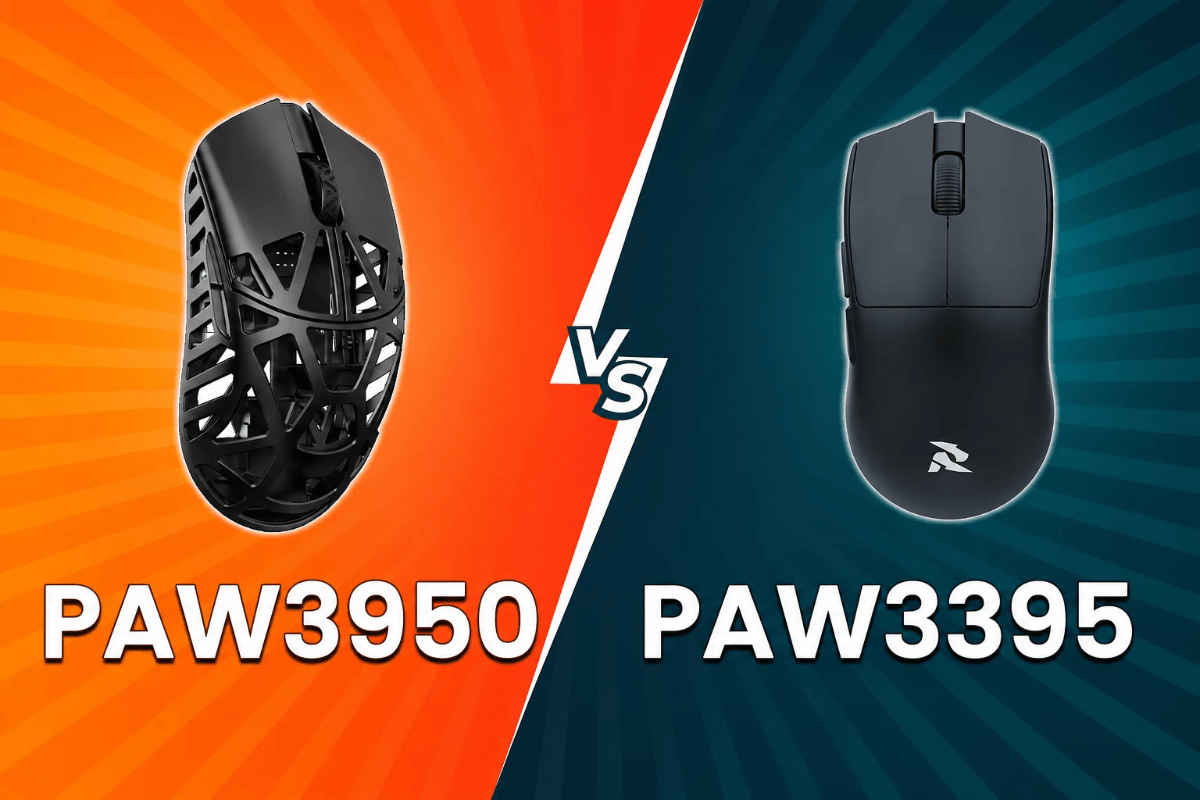
Le capteur est l'un des composants les plus importants à l'intérieur d'une souris de jeu, traduisant le mouvement physique en mouvement du curseur à l'écran. Pour les joueurs qui choisissent une souris de jeu GamePeripherals, comprendre les différences de capteurs peut faciliter la comparaison des modèles en fonction de leurs besoins de performance. En comparant le PAW3395 au PAW3950, les deux familles de capteurs PixArt sont conçues pour le jeu haute performance, mais le PAW3950 est la plateforme la plus récente et prend en charge des spécifications maximales plus élevées.
Cela ne signifie pas que chaque joueur a besoin du capteur le plus récent. La forme de la souris, le poids, la mise en œuvre sans fil, le taux de polling, le firmware et le confort personnel peuvent compter autant que le capteur lui-même. Voici ce qui distingue ces deux options et ce que ces différences signifient dans l'utilisation réelle.
PAW3395 contre PAW3950 : comparaison rapide
| Caractéristique | PAW3395 | PAW3950 |
| Type de capteur | Optique | Optique |
| Résolution maximale | Jusqu'à 26 000 CPI | Jusqu'à 30 000 CPI* |
| Vitesse de suivi maximale | Jusqu'à 650 IPS | Jusqu'à 750 IPS* |
| Accélération maximale | 50G | 50G* |
| Génération | Plus ancien | Plus récent |
| Idéal pour | Gaming haute performance | Nouvelles souris de jeu premium |
*Les spécifications du PAW3950 peuvent varier selon l'implémentation ou la version personnalisée du capteur. Vérifiez toujours les spécifications de la souris individuelle plutôt que de supposer que chaque modèle basé sur PAW3950 utilise des paramètres identiques.
Qu'est-ce que le PAW3395 ?
Le PAW3395 de PixArt est un capteur optique haute performance qui a été largement adopté dans les souris de jeu modernes. Il prend en charge jusqu'à 26 000 CPI, des vitesses de suivi allant jusqu'à 650 IPS et une accélération allant jusqu'à 50G selon les spécifications publiées pour des implémentations telles que la PAW3395DM-T6QU.
Pour le joueur moyen, ces limites sont déjà bien au-delà des réglages de sensibilité normaux. Lors du choix d'une souris de jeu PAW3395, les joueurs peuvent s'attendre à un suivi très performant sans avoir besoin d'utiliser un réglage CPI proche du maximum du capteur. Cela fait du PAW3395 une option pratique pour le jeu quotidien comme pour le jeu compétitif.

Son utilisation continue dans les souris de jeu n'est donc pas surprenante. Un capteur plus récent ne rend pas soudainement le PAW3395 inadapté au jeu compétitif ou quotidien.
Qu'est-ce que le PAW3950 ?
Le PAW3950 appartient à une nouvelle génération de capteurs de jeu PixArt. Pour les joueurs qui envisagent une souris de jeu PAW3950, les implémentations basées sur cette plateforme peuvent offrir des spécifications telles qu'une résolution allant jusqu'à 30 000 CPI et une vitesse de suivi de 750 IPS, bien que les capacités exactes puissent dépendre de la version personnalisée utilisée par le fabricant de la souris. La nouvelle plateforme peut également prendre en charge des implémentations plus avancées liées au décollage et au suivi. Cependant, ces capacités dépendent de la conception complète de la souris et du firmware plutôt que du seul nom du capteur.

Pour les acheteurs à la recherche du meilleur capteur de souris pour le jeu, cette distinction est importante car une étiquette PAW3950 en soi ne garantit pas que deux souris différentes se comporteront de manière identique.
Le DPI plus élevé du PAW3950 a-t-il de l'importance ?
La différence entre 26 000 et 30 000 CPI semble substantielle sur une fiche technique, mais la plupart des joueurs utilisent des réglages de sensibilité bien inférieurs à l'un ou l'autre maximum.
Les joueurs compétitifs de FPS privilégient généralement un suivi prévisible et une sensibilité qui correspond à leur style de visée plutôt que de sélectionner le nombre le plus élevé disponible. Augmenter le CPI ne rend pas intrinsèquement votre visée plus précise.
Le plafond plus élevé reste un avantage technique pour la plateforme PAW3950, mais cela ne devrait pas être la raison principale de remplacer une souris PAW3395 par ailleurs excellente.
Vitesse de suivi et flicks rapides
La vitesse de suivi maximale indique la rapidité avec laquelle le capteur peut suivre un mouvement tout en maintenant un suivi précis. Le PAW3395 est évalué jusqu'à 650 IPS dans les implémentations documentées, tandis que les versions basées sur le PAW3950 peuvent atteindre des valeurs maximales plus élevées.
Ces limites sont extrêmement élevées pour un mouvement de souris ordinaire. Lors de mouvements rapides en FPS, les deux plateformes de capteurs sont conçues pour gérer efficacement les mouvements rapides lorsqu'elles sont correctement implémentées.

En pratique, le poids de la souris, les patins, la surface du tapis, la forme et les performances sans fil peuvent produire des différences plus notables que la seule valeur de vitesse de suivi maximale.
Qu'en est-il de la distance de décollage ?
La distance de décollage, ou LOD, décrit à quelle hauteur une souris peut être soulevée avant que son capteur cesse de suivre la surface. Une LOD basse et réglable peut être utile pour les joueurs à faible sensibilité qui soulèvent et repositionnent fréquemment leur souris.
Les implémentations plus récentes du PAW3950 peuvent offrir aux fabricants plus de flexibilité pour le réglage du suivi et du décollage. Cependant, les options réellement disponibles pour l'utilisateur dépendent du firmware et du logiciel de configuration de la souris.

Lorsqu'on consulte une souris de jeu GamePeripherals, il vaut donc la peine de vérifier si le modèle individuel offre une LOD réglable plutôt que de choisir uniquement en fonction de sa génération de capteur.
PAW3395 ou PAW3950 : lequel choisir ?
Choisissez une souris PAW3395 si elle a la forme, le poids, la connectivité et le prix que vous préférez. Ses spécifications restent plus que suffisantes pour un gaming exigeant, et le capteur ne doit pas être considéré comme obsolète simplement parce qu'une option plus récente existe.
Envisagez une souris basée sur PAW3950 lorsque vous voulez une technologie de capteur plus récente et que la souris spécifique tire parti de ses capacités supplémentaires. C'est particulièrement pertinent lorsque les réglages avancés de décollage ou d'autres personnalisations liées au capteur sont importants pour votre configuration.

Pour la plupart des acheteurs, la meilleure décision est de comparer la souris complète plutôt qu'un seul composant interne.
FAQ
Le PAW3950 est-il meilleur que le PAW3395 ?
PAW3950 est la nouvelle plateforme de capteurs et peut prendre en charge des spécifications maximales plus élevées. Cela ne signifie toutefois pas automatiquement que chaque souris PAW3950 est meilleure que chaque souris PAW3395, car le firmware et la conception globale de la souris comptent aussi.
Le PAW3395 est-il toujours bon pour le gaming ?
Oui. Ses spécifications maximales restent bien au-delà de ce dont la plupart des joueurs ont besoin, ce qui en fait une option performante pour le jeu occasionnel et compétitif.
Un DPI plus élevé est-il meilleur pour le gaming ?
Pas nécessairement. Un CPI maximal très élevé démontre la capacité du capteur, mais la plupart des joueurs utilisent des réglages beaucoup plus bas. La sensibilité adaptée à votre style de jeu est plus importante que de sélectionner le nombre le plus élevé disponible.


Laisser un commentaire
Ce site est protégé par hCaptcha, et la Politique de confidentialité et les Conditions de service de hCaptcha s’appliquent.